
New feature
Activity logging
Your clients don’t only train in the gym. They play five-a-side on a Tuesday, swim on the weekend, walk the dog for an hour, get talked into a padel match they didn’t plan for. All of it counts toward their results, and until now, almost none of it made it into their coaching.
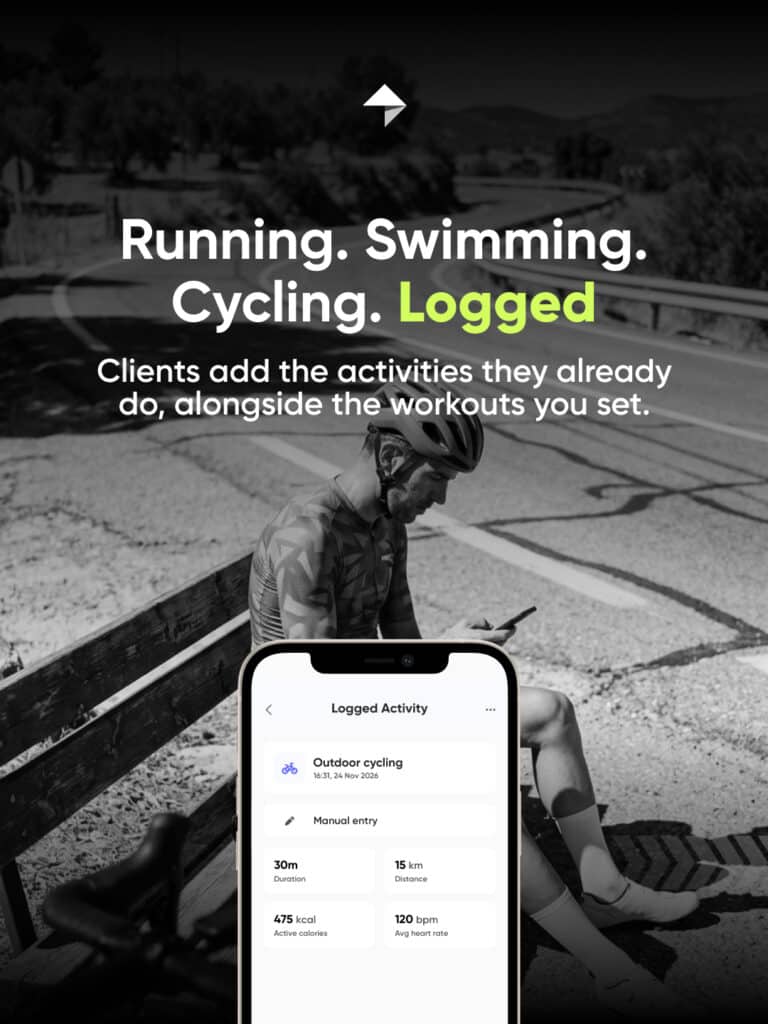
Activity logging changes that. Clients can record any non-gym activity directly in the My PT Hub mobile app, so the full picture of their week lands in front of you; not just the sessions you programmed. No more asking clients to “just remember to mention it,” and no more faking a workout entry to get a hike onto the record.
Read on to see what Activity logging lets you do as a coach, how it reshapes the conversations you have with clients, and why cleaner data makes every other part of your coaching sharper.
What Activity logging allows for coaches
At its simplest, Activity logging lets your clients tell you what they’ve been doing when they’re not following your plan. Swimming, hiking, a spin class at another studio; any activity, logged in seconds from their phone.
But the real value isn’t the log itself. It’s what it hands you as a coach. For the first time you get a true view of your client’s whole training load, inside and outside the sessions you write. That’s the difference between coaching a client’s gym time and coaching their actual life, and it’s where better decisions come from.
Activities now live in their own space, so the data you rely on stays clean while nothing your client does goes unseen.

Coach the whole week, not just the sessions you wrote
The biggest shift here is visibility. When you can see everything a client does, you coach differently.
A client who’s crushing their programmed sessions but also playing two football matches and swimming twice a week isn’t under-training; they’re at real risk of doing too much. Without that context, you might pile on more volume and walk them straight into burnout or injury. With it, you can pull back at the right moment, protect recovery, and explain exactly why.
It works the other way too. A client who swears they’re “so active” but logs almost nothing outside your three weekly sessions gives you an honest, non-confrontational way to open the accountability conversation. The data does the talking, so you don’t have to.
This is coaching with the full context instead of a slice of it. You make load, recovery, and progression calls based on everything your client does, not just the part that you’ve programmed for them.
Turn activity into accountability and motivation
Clients are motivated by seeing their effort recognised. When the padel match, the dog walks, and the weekend hike all show up as logged activity, clients feel credited for the work they’re actually putting in; not just the gym sessions.
That recognition is a powerful retention lever. A client who feels their whole active life is seen and valued by their coach is a client who stays. Activity logging gives you a natural, ongoing reason to acknowledge effort, celebrate consistency, and keep clients engaged between formal sessions.
It also nudges the behaviour you want. Once clients know their non-gym movement counts and that you’ll see it, they’re more inclined to stay active on rest days, hit their step targets, and choose the active option; because it all now lands on the record in front of their coach.
Get the full picture in one place
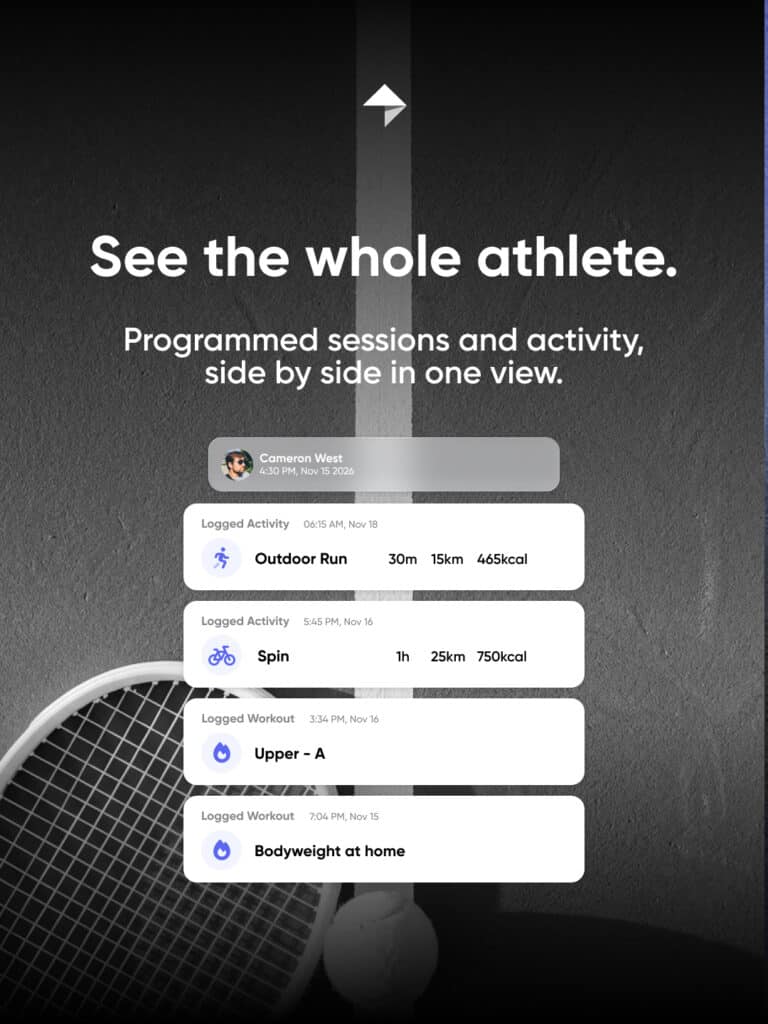
Everything a client logs flows into a single ‘Activities’ view, with a dedicated filter in the feed on both web and mobile. Each entry carries its own icon, the headline metrics that matter, and a detail view when you want to dig in.
That means no hunting across the app to piece together what someone’s been up to. You open one view and see the shape of their whole week at a glance: what they did, when, and how much.
Crucially, activities synced from connected wearable devices sit right alongside manually logged activity entries, each clearly tagged with where it came from. A run tracked on an Apple Watch and a five-a-side match a client logs manually both appear in the same timeline, so the picture is complete whether your client is a wearable devotee or someone who logs manually.
Built to fit your clients lifestyles
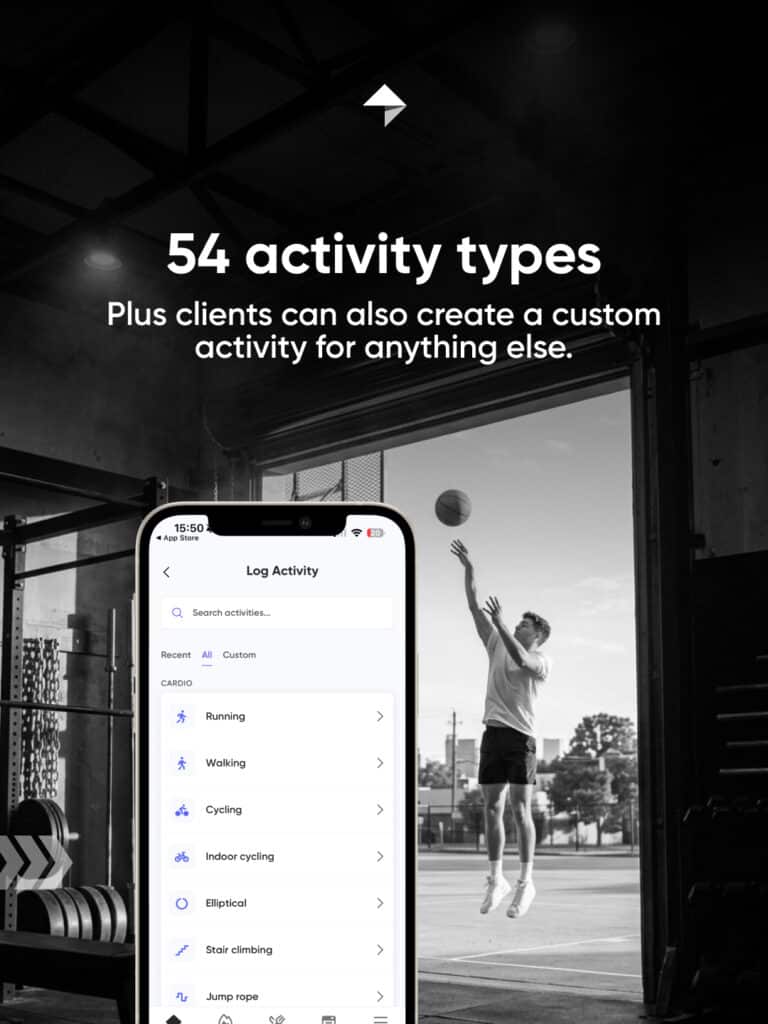
Your clients don’t do a tidy, predictable set of activities, so activity logging doesn’t force them into one. There are 54 default activity types to choose from out of the box, but clients can also create a custom activity for anything else. Nothing gets left out because it didn’t fit a preset, which means the record you’re coaching from is genuinely complete.
Our new feature also gets smarter every time your clients log. It learns the metrics a client tends to record for each activity, so repeat entries take seconds. Low friction for your client means more consistent logging, which means better data for you; a quiet compounding benefit every week you use it.
Getting started with Activity logging
Activity logging is built into the My PT Hub mobile app, so your clients can start recording straight away. Point them at the ‘Activities’ filter in their feed, show them the picker, and let them log the next thing they do outside the gym.
Try My PT Hub free for 30 days and unlock a full picture of your clients activity using our brand new feature.