
My PT Hub updates and new releases

Version: 2.7.0
Web
Mobile
Communities
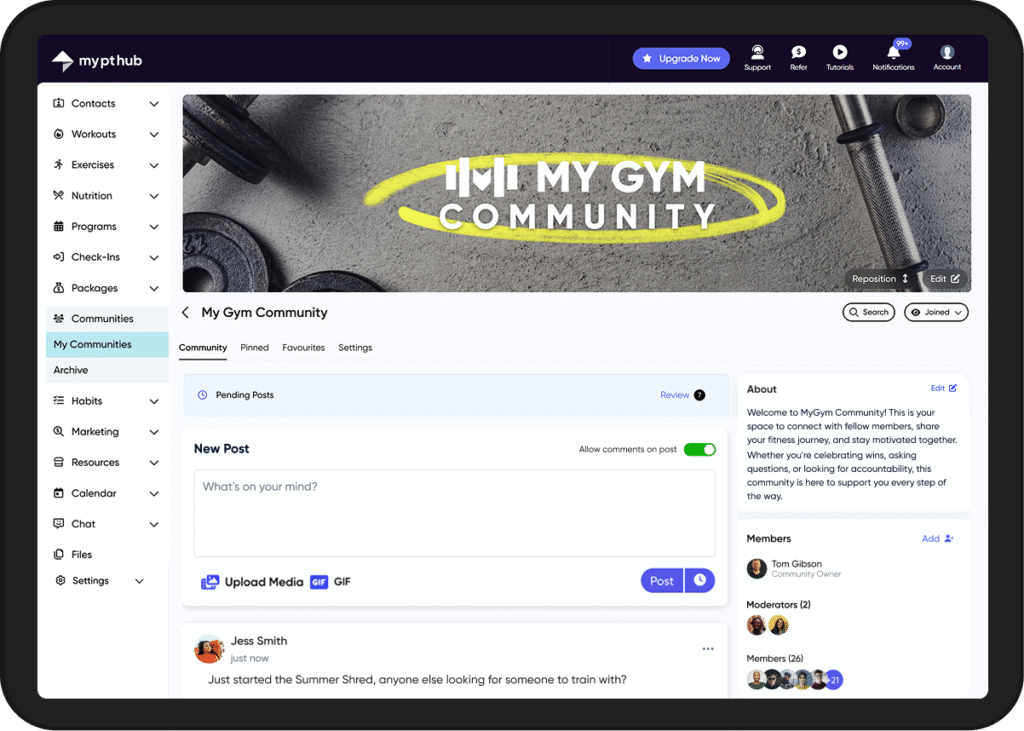
We’re excited to launch Communities, a powerful new feature that helps you create dedicated spaces for client connection and engagement. Create as many communities as you need; separate spaces for different programs, client groups, experience levels, locations, or challenge groups – each with customizable privacy and configuration settings. Schedule content in advance, pin essential announcements, and share photos and videos to drive engagement. Enable two-way posting so clients can share progress and support each other, or keep posting restricted to your team.
Whether you need branded social feeds for premium programs or anonymous spaces for sensitive discussions, Communities gives you the flexibility to build the right environment for every client group. Manage everything from one central dashboard; no more juggling Facebook groups or WhatsApp chaos. Keep your clients engaged in a single platform that reinforces your professional brand.
Web updates
- Create communities
Build your communities from the ground up on web with full access to all settings and customization options. Set up privacy controls, configure display names and avatars, establish post moderation rules, add clients or groups, and upload custom banner images.
- Schedule posts
Plan your community content in advance by scheduling posts for specific dates and times. Schedule posts days or weeks ahead to maintain consistent engagement during busy periods, or batch-create motivational and educational content to keep your communities active even when you're on holiday or away from the platform.
Cross-platform updates:
- Multiple communities
Manage unlimited communities for different client segments, programs, or goals. Organize your business your way; separate communities for nutrition coaching, strength training, or clients at different experience levels. - Privacy controls
Three visibility options: Public (visible to your clients), Global (visible to all clients, including those assigned to additional trainers), or Private (invitation-only access). - Anonymous posting
Protect client privacy with customizable display settings. Choose between full names, first name with initial, or initials only. Toggle profile pictures on or off for sensitive topics. - Rich media sharing
Posts support multiple images, videos and GIFs, making it easy to share progress photos, workout videos, meal prep images, and celebrate wins visually. - Post & content moderation
Enable post approval to review client content before it appears in the feed. Moderators and community owners can approve, reject, or edit posts as needed. Promote trusted clients to moderators who can help manage content and conversations.
- Content organization
Pin important announcements so they are easily visible. Clients can favourite posts they want to revisit later. Set posting permissions to owner-only, owner and moderators, or everyone. - Comment control
Toggle comments on or off for each post you create, giving you precise control over where conversations happen. Disable comments for announcements or important information that doesn't need discussion, while keeping them enabled for posts where you want to encourage client interaction and community dialogue. - Streamlined client management with groups
Add communities to client groups for seamless client management. These can then be linked to your packages so new clients automatically join when they sign up - ideal for exclusive content tied to specific programs, coaching tiers, or training packages. - In-app notifications
Clients receive instant notifications for new posts, comments, and community activity, keeping everyone engaged without missing important updates.
Version: 2.6.0
Web
Mobile
Check-Ins AI
We’re excited to introduce Check-Ins AI, a powerful new tool that helps trainers deliver personalized, data-driven feedback to clients in seconds while maintaining your unique coaching voice.
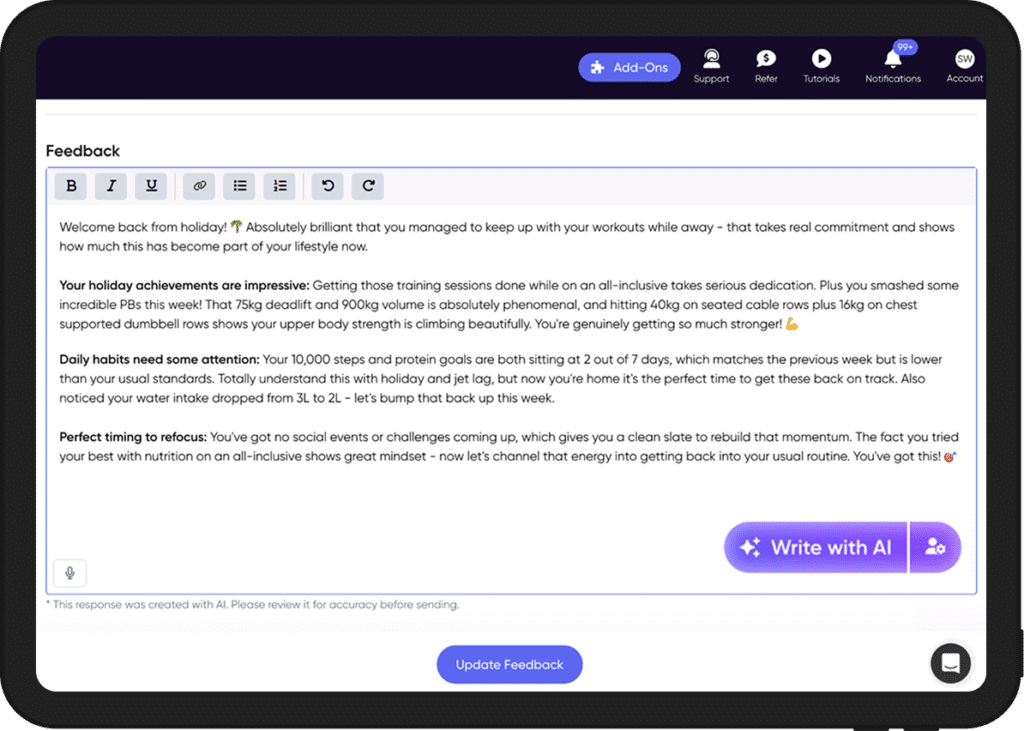
Check-Ins AI analyzes your clients’ check-in submissions alongside their workout data, nutrition logs, habits, and personal bests to create comprehensive, tailored responses that keep clients motivated and accountable. Simply click “Write with AI” when reviewing a check-in, and let AI draft personalized feedback that you can review, regenerate, or edit before sending.
Our latest innovation enables you to reduce your coaching admin by up to 80% while using AI-powered data analytics to achieve in-depth insights into your clients’ progress, mindset, and training consistency.
How it works:
Our intelligent AI agent draws insights from multiple data sources to provide comprehensive feedback, including previous client check-in responses, their last 3 check-ins for context and progress comparison, recent personal bests, workout consistency, nutrition data (calories, macros, and logging consistency), and habit data. Trainers have full control over which data sources our AI should analyze through the “AI Settings” area, alongside fully customizable language settings to ensure that AI responses look and feel exactly like your brand.
Cross-platform updates:
- Write with AI - Generate personalized check-in feedback instantly from within any check-in on both web and mobile.
- Client-specific custom prompts - Add personalized context about individual clients' goals, circumstances, or upcoming milestones to further tailor AI feedback.
- Period-to-period comparison - AI automatically compares the current check-in period to the previous one, identifying trends, progress, and areas needing attention.
- Learning from your feedback style - AI reviews your last 3 check-ins with each client to understand and replicate your communication style.
- Comprehensive AI Settings page - Configure tone (casual, balanced, formal), motivation style (encouraging, balanced, direct), emoji level (none to high), feedback length (short to detailed), and formatting preference (bullets or paragraphs).
- Global custom prompts - Set trainer-level instructions that apply to all AI-generated check-in feedback.
- Data source toggles - Choose which data points the AI includes: personal bests, workouts, nutrition, and habits.
Version: 2.5.0
Web
Stripe & Voucher Updates
Vouchers with a “fixed amount off” and a duration of “forever” have now been deprecated by Stripe.
Please note that active subscriptions using this voucher type will continue to function as normal, but will not function for new package purchases.
We have made some changes to help trainers adjust to this change.
Web updates
- Trainers can now apply vouchers to specific packages.
- Vouchers now have a 'Repeating' option for the voucher duration, enabling trainers to specify how many calendar months a voucher discount applies for.
- Warning messages and icons have been added to vouchers no longer supported by Stripe to advise that they will not function for new purchases.
- Trainers can now view detailed voucher redemption information, including customer names, package details, discount amounts, and redemption dates in a new dashboard. This view will now show both active and expired voucher redemptions, making it easier for you to track performance.

Version: 2.4.0
Web
Mobile
New updates
This release is packed with upgrades across web, mobile, and both platforms—giving you more flexibility, smarter tracking, and smoother communication.
Cross-platform updates:
Control Workout Groups visibility
Trainers can now control workout visibility by workout group (e.g, Home Workouts, Gym Workouts). When enabled, clients will see a new Groups tab in their Workout area, making it easier to find and start the right workouts.
New cardio & strength metrics
Trainers can now program, and clients can log a wider range of cardio metrics including: split times (/500m), watts, calories split (kcal p/h), flights climbed, and revolutions per minute (RPM). Reps in reserve (RIR) has also been added for resistance exercises.
Client chat responses to check-in feedback
Clients can now reply directly to trainer feedback on reviewed or completed check-ins via chat.
Check-ins schedule on client profile
Trainers can now see a client’s upcoming, open, and overdue check-ins directly from their profile. You can access this via Contacts → ‘Client Profile’ → ‘Check-Ins’ → ‘Upcoming’.
Web updates
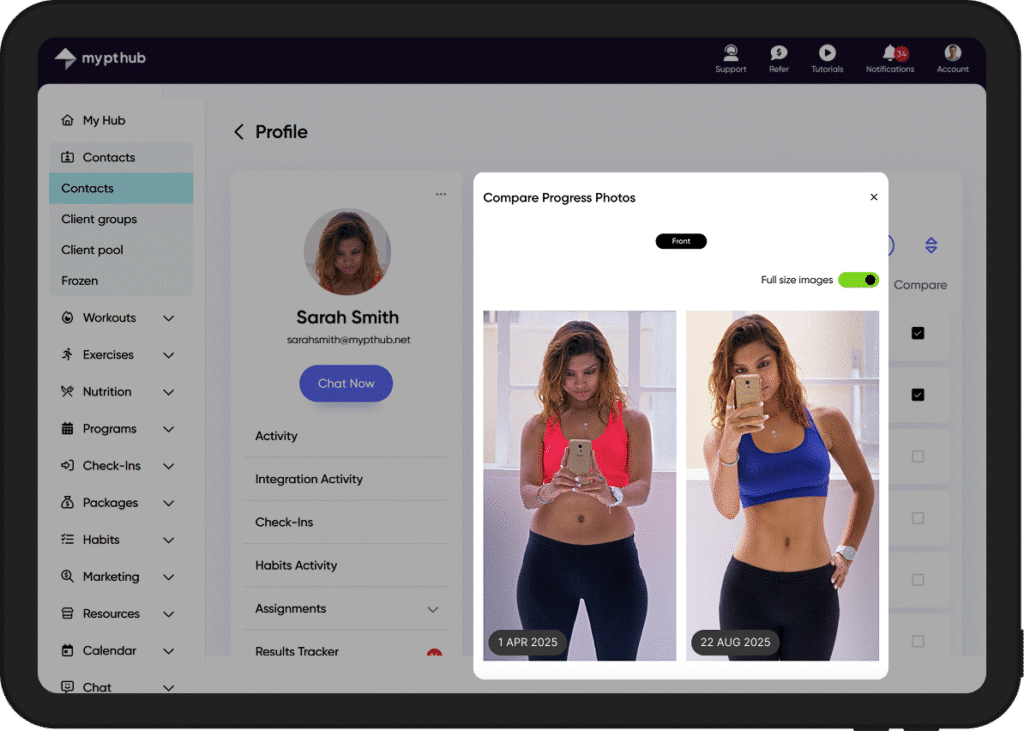
- Compare Progress Photos
Trainers can now visually track client progress with the new ‘Compare Progress Photos’ option on web. - Chat voice notes
Trainers and clients can now record and send voice notes in Chat on web.
Mobile updates
- Mandatory forms & PAR-Q on mobile
Clients must now complete all required sign-up forms and the mandatory PAR-Q before accessing the mobile app. - Rotate and crop images
Trainers and clients can now rotate and crop images before uploading on mobile, whether taking a new photo or selecting from the library. - Video upload for custom exercises
Trainers can now upload videos to custom exercises directly from the mobile app. - Apple Health for iPad
Clients can now connect to Apple Health on iPad via Settings → ‘Feature Settings’ → ‘Integration Connections’. - Client Activity Feed filter
Added a filter option to the client's Activity Feed, allowing clients to quickly narrow their feed by event type - e.g., workouts, check-ins, nutrition plan etc. - Navigation from notifications
You can now tap notifications within the Hub to jump directly to relevant areas—like Workouts, Files, Nutrition, Progress Photos, and Programs making navigation faster and more intuitive. - New Integrations tab on client Hub
Integration tiles on the client Hub are now grouped under a dedicated ‘Integrations’ tab, visible only when clients’ integrated devices are linked to My PT Hub.
Version: 2.3.0
Web
Mobile
New feature: White label app
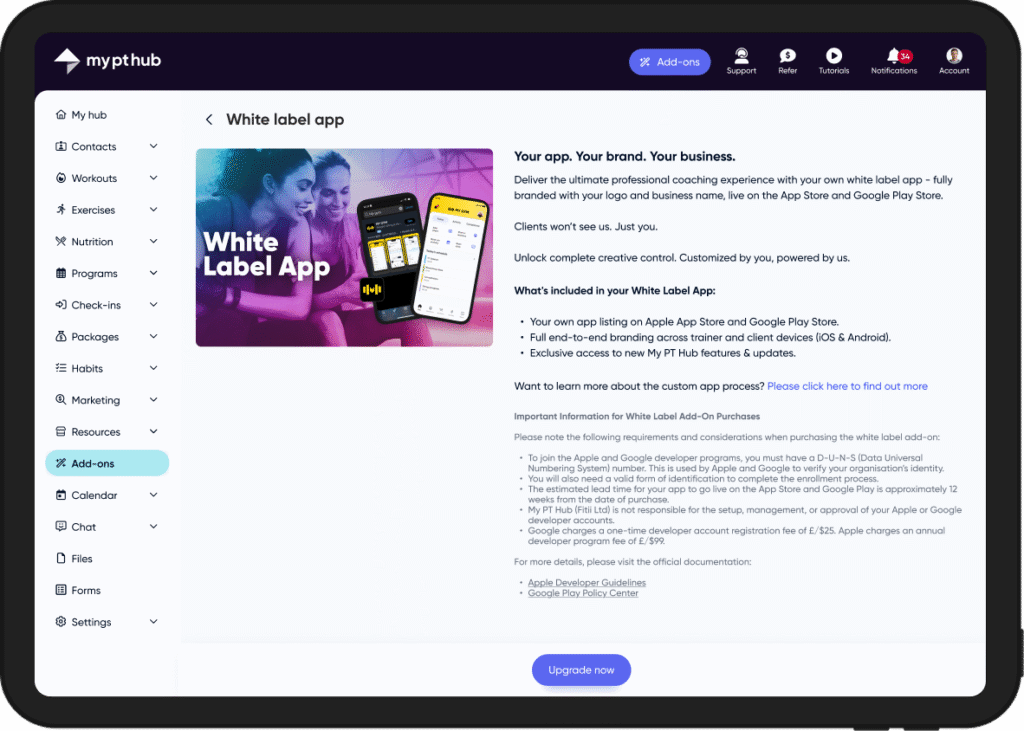
Introducing the brand-new White label app feature add-on, designed to help you launch your fully-branded coaching app and create the ultimate professional coaching experience for your clients.
What’s included with your White label app:
- Add your own app name & custom logo
- Your own custom App Store & Google Play Store listings
- Fully-immersive, end-to-end branding
- iOS & Android compatible
- Clients can download your app from anywhere
Trainers on a Premium subscription plan can purchase the white label add-on directly from the Add-Ons area of your web account.
Web updates
- Trainers on the Premium plan can now purchase the White Label add-on directly from the Add-Ons section.
Mobile updates
- Brand your app icon with your logo, colors & brand name.
- Your app is globally accessible and can be found on both the Apple App Store and Google Play Store.
Version 2.2.0
Web
Mobile
New feature: Automated Check-Ins
We’re delighted to announce the release of our new Automated Check-Ins feature, enabling trainers to create, automate and manage your entire client check-ins process from a single hub.
Alongside the ability to create and assign custom client check-ins, our new feature allows coaches to easily automate recurring check-ins and keep clients accountable with automated notifications and custom check-in windows, ensuring you get the information you need, when it’s most convenient for you to act on it.
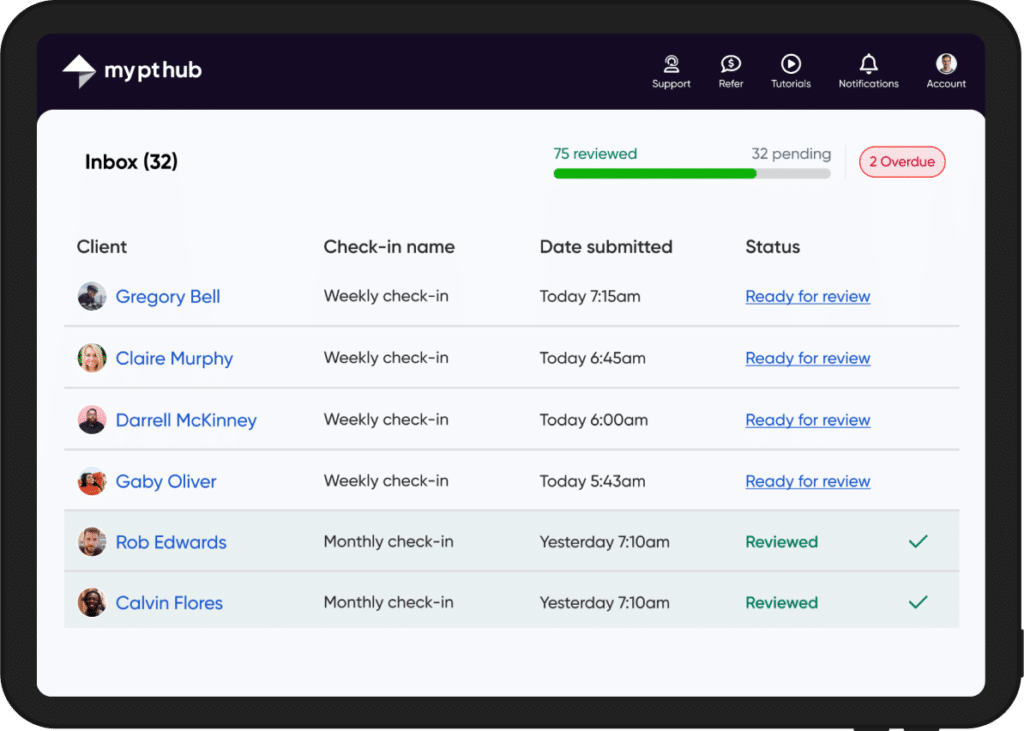
Gain deeper insights into client sentiment and performance using the side-by-side comparison tool to see your clients’ progress at a glance, as well as responding to check-ins via the dedicated ‘Inbox’ using a variety of feedback options, including text, voicenote and video.
Web updates
- Dedicated Check-Ins ‘Inbox’ & Overdue areas.
- Check-Ins ‘Form Builder’, including an assortment of question types and option to collect measurements and progress photos (auto-synced to your clients’ profiles).
- Automate recurring check-ins (daily, weekly, bi-weekly or monthly) from specific dates.
- Customize check-in windows (‘Open’, ‘Overdue’ and ‘Closed’).
- Side-by-side client check-in comparisons across specific date ranges.
- Review client check-ins, with the option to leave text, voicenote and video feedback.
Mobile updates
- Access and respond to client check-ins.
- Client push notifications and email reminders.
Version 2.1.0
Web
Mobile
New feature: Automated messages
We’re thrilled to announce the launch of Automated Messages, a powerful new feature designed to save you time and enhance client engagement.
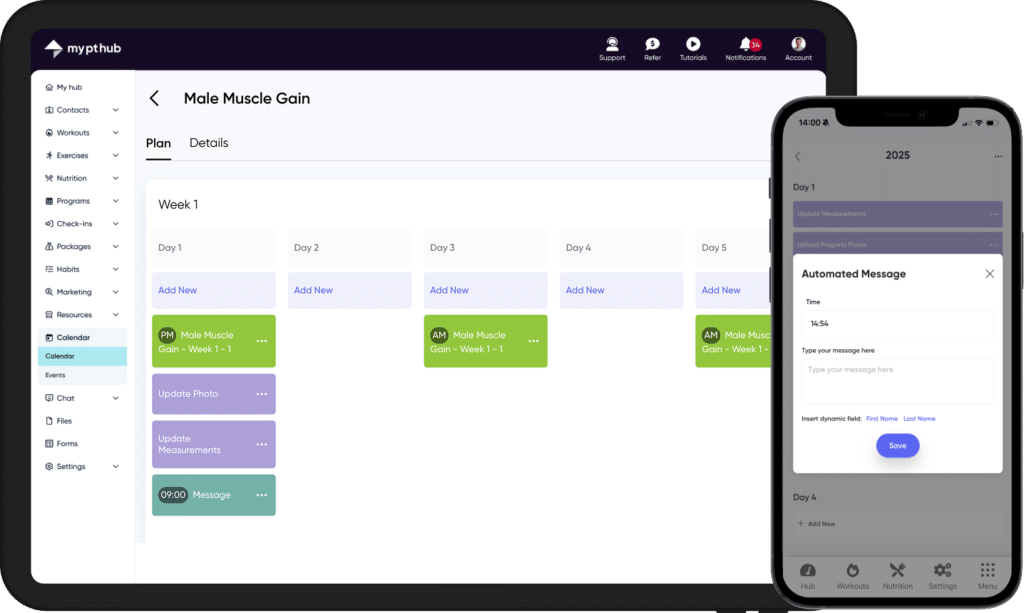
Trainers can now configure personalized automated messages based on client events, actions and milestone achievements (including birthday messages), as well as automate messages from specific days of your clients’ assigned Programs.
Deliver authentic automated messages with smart personalization fields like {First name} and {Last name}, allowing you to tailor your messaging to each unique client, as well as customizing a time delay for each message trigger, allowing your messages to look and feel as authentic as possible to your clients.
Web updates
- Send automated messages based on client log in events (e.g. their 1st login).
- Send automated messages based on clients’ birthdays.
- A Send automated messages based on clients’ Workout or nutrition milestones (e.g. their 50th workout logged).
- Send automated messages based on clients’ Package purchase history (e.g. their 1st purchase).
- Schedule automated messages from specific days of your clients’ assigned Programs
Mobile updates
- Schedule automated messages from specific days of your clients’ assigned Programs