
New feature
Communities
Running a successful fitness business isn’t just about great programming and results anymore. It’s about connection, accountability and community.
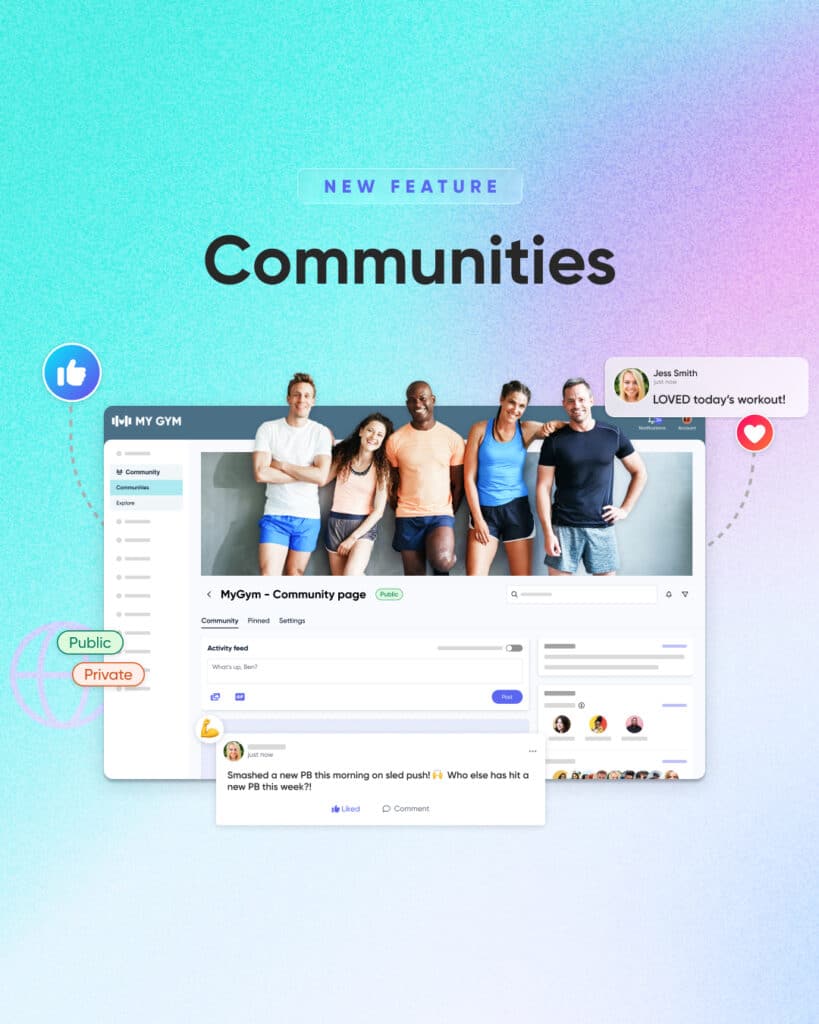
That’s why we’ve built Communities, a powerful new feature that brings your entire fitness community together in one branded space, without the distractions, ads and algorithm chaos.
Think of it as your own social network for personal training, built directly into the My PT Hub app your clients already use every day.
Your own branded fitness community platform
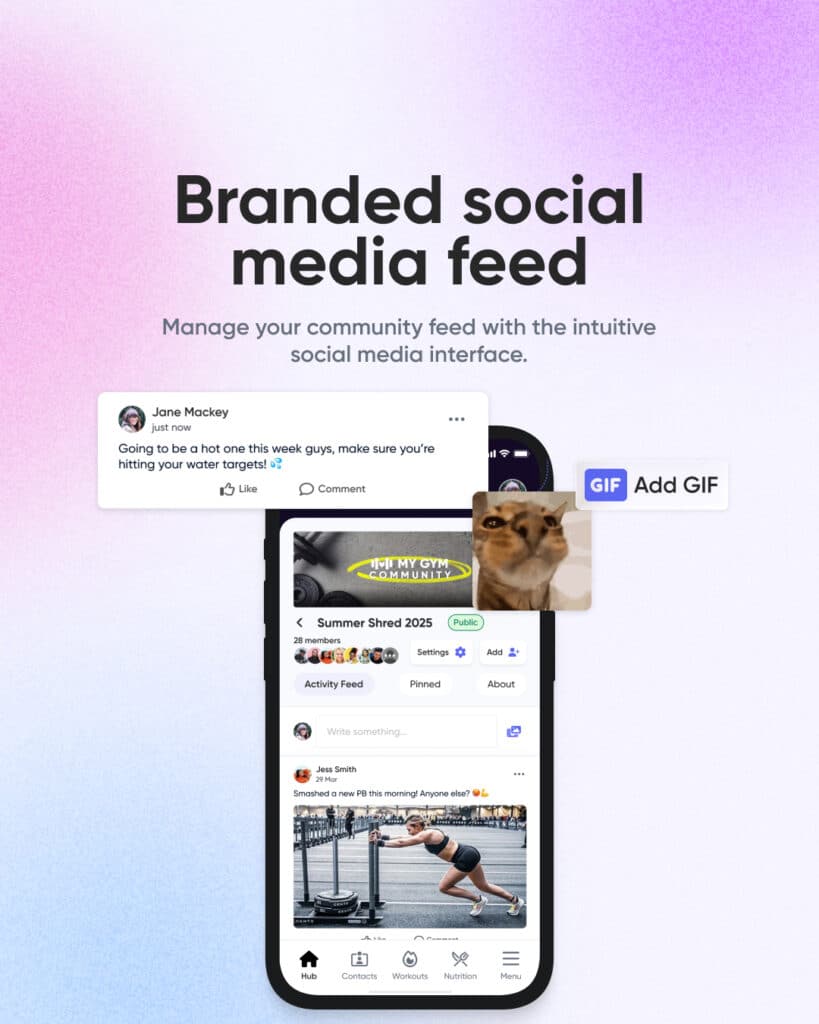
Communities is a fully branded social feed designed specifically for personal trainers. Your logo, your colours, your brand — not a generic Facebook group or forum.
Everything is managed from a single dashboard. No more juggling Facebook or WhatsApp groups. Your clients stay in one place, and your brand stays front and centre.
Top tip: Use ‘Client Groups’ to automatically add clients to the correct community when they buy a package or join a program. Zero admin, instant onboarding. Buy your 12-week transformation package? Welcome to the Transformation Community. Sign up for 1:1 coaching? You’re automatically added to the 1:1 Support Group.
Share rich fitness content that drives engagement
Create engaging posts using:
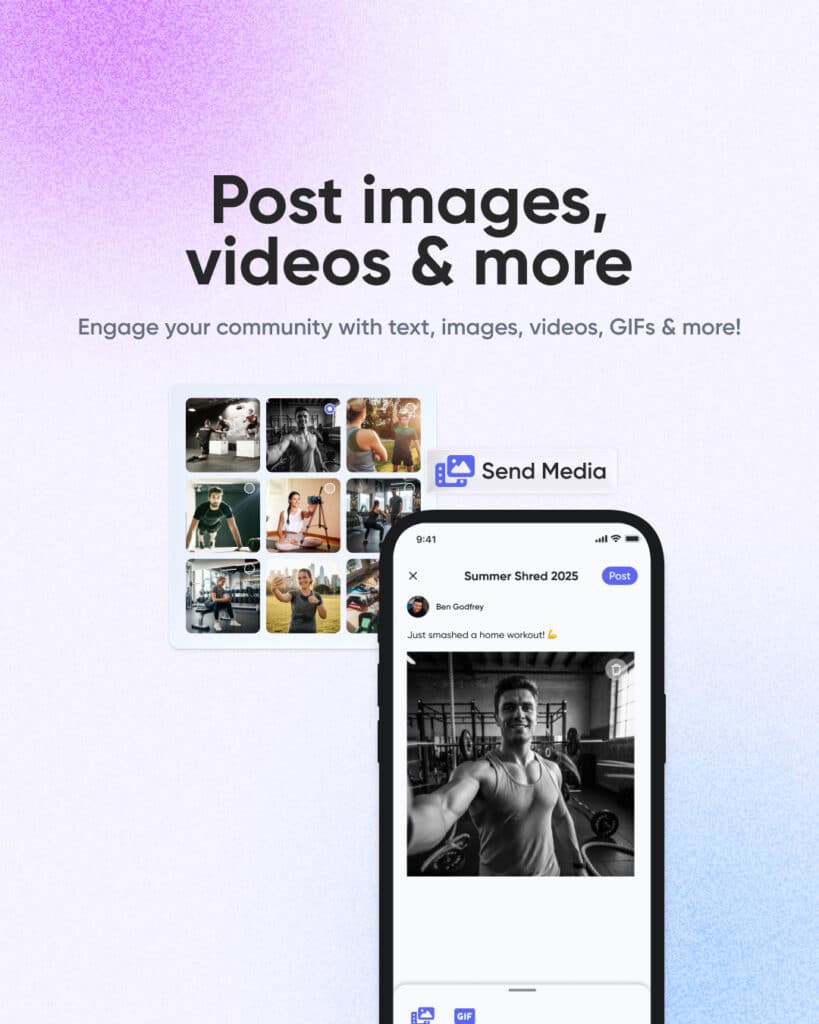
- Text, images, videos, and GIFs
- Exercise demos and technique videos
- Transformation photos (with consent)
- Nutrition tips, infographics, and motivation
Enable two-way posting so clients can share progress photos, workouts, and wins. This user-generated content builds accountability, motivation and real connection; far beyond what one-way trainer posts can achieve.
Everything lives inside My PT Hub, removing friction and keeping engagement high.
Real-time, two-way communication
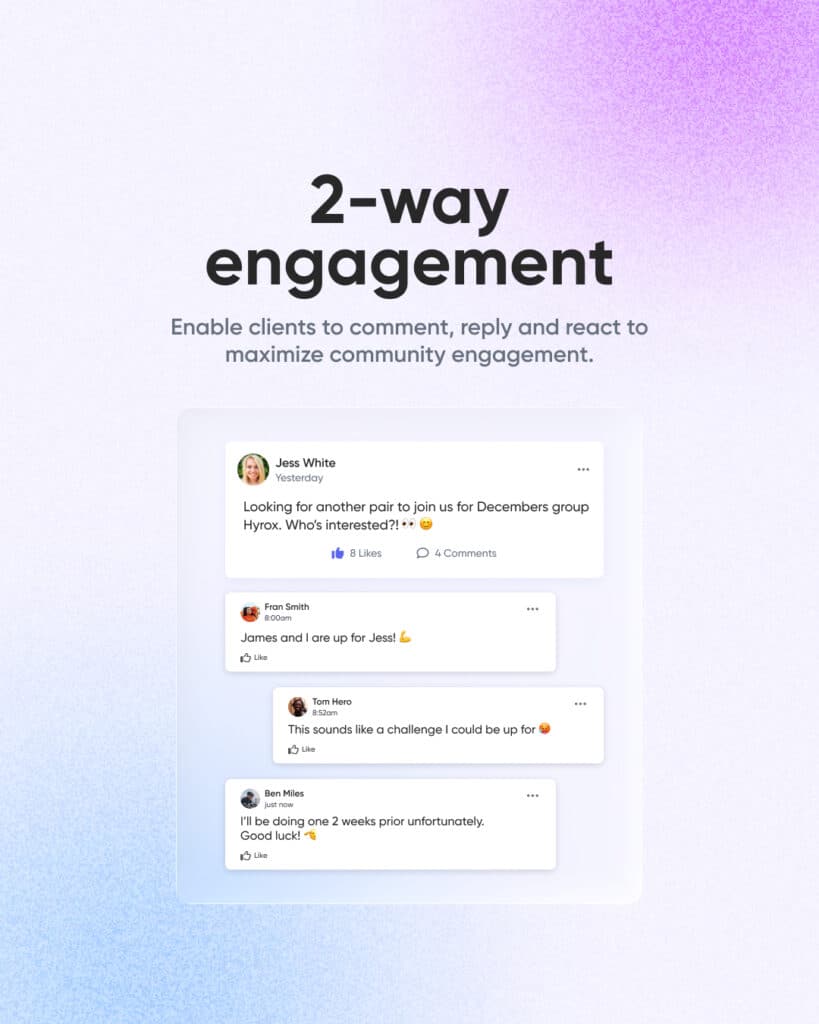
Communities isn’t a one-way broadcast channel; it’s genuine two-way conversation, happening in real time.
Members can comment, react, and support each other instantly. This creates:
- Stronger accountability
- Faster support and feedback
- A sense of belonging that boosts retention
When clients feel supported by the group — not just their coach — they’re far more likely to stay consistent and committed.
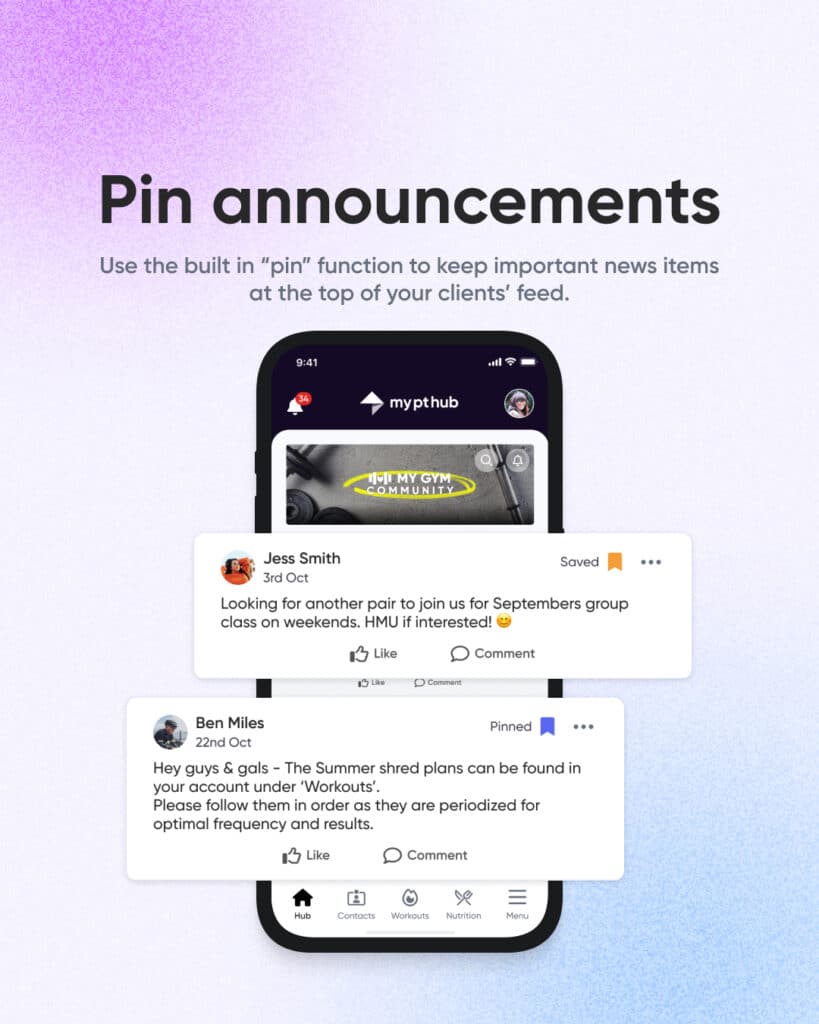
Pin important announcements and resources
Not all posts are created equal. Some information needs to stay visible rather than getting buried in the feed. That’s where pinning becomes invaluable.
Keep key information visible with pinned posts:
- Schedule changes
- Challenge rules
- Gym updates
- Community guidelines
Multiple pinned posts let you maintain a section of evergreen important information while keeping the feed dynamic. Pin your community guidelines, workout recording standards or nutrition tracking instructions so new members always have easy access to foundational information.
Members can also favourite posts to create their own library of workouts, tips and resources (no endless scrolling required!).
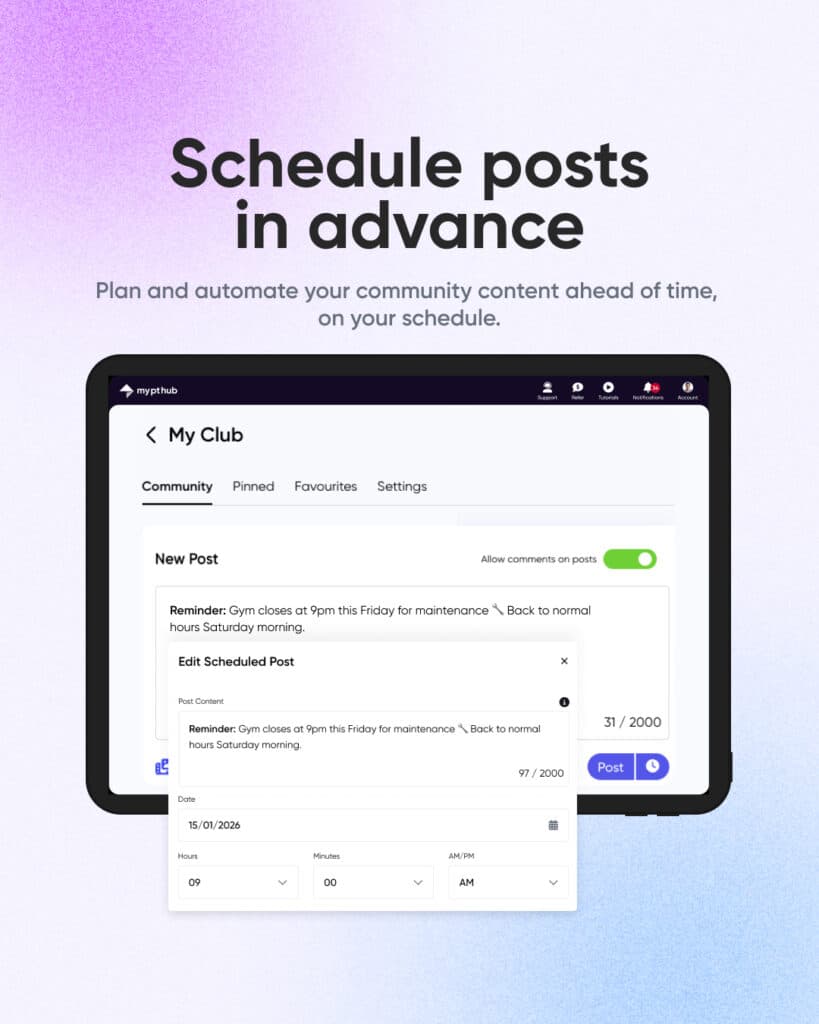
Schedule community posts in advance
You can’t be online 24/7, but your community can still feel active and engaged around the clock.
Schedule posts days or weeks ahead to:
- Maintain engagement during busy periods
- Batch-create motivation and education content
- Keep communities active while you’re on holiday
This helps you deliver steady value without burnout.
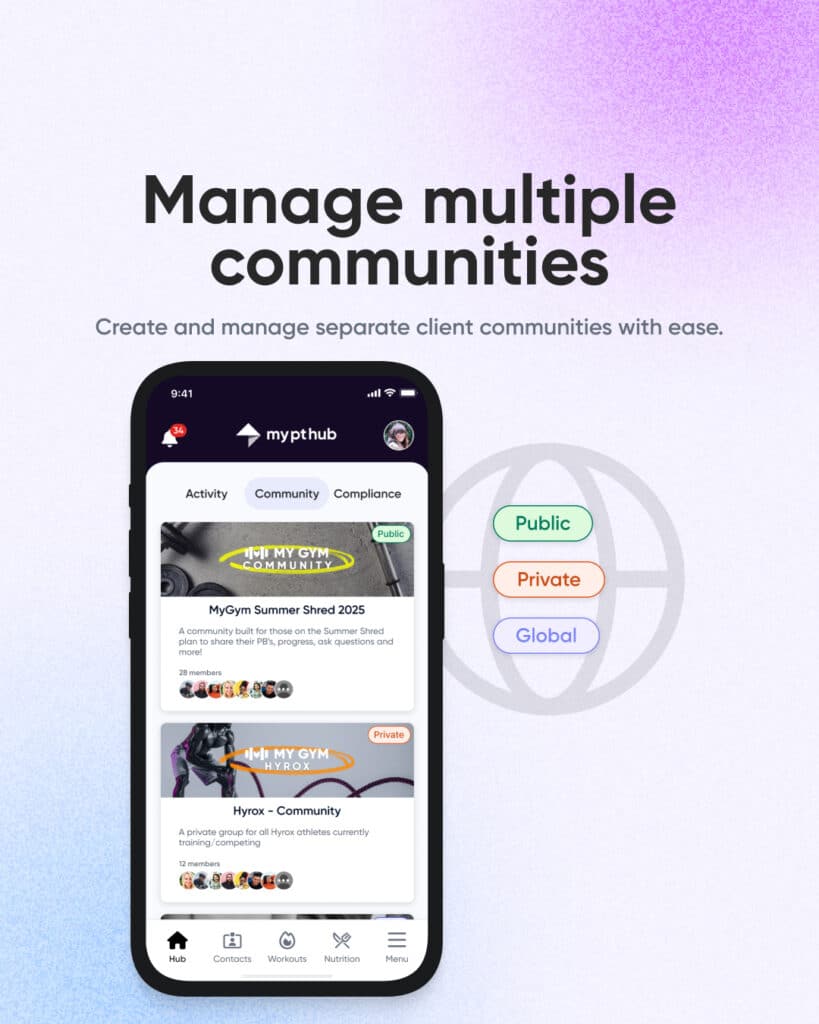
Manage multiple fitness communities
Different groups have different needs. Your competitive athletes don’t necessarily need to be in the same space as your postpartum fitness clients. Your morning boot camp crew has different inside jokes than your evening strength training group.
Communities lets you create and manage multiple separate communities with ease. For example, you could create separate communities for:
- Different programs
- Skill levels
- Locations
- Premium or challenge groups
Creating a new community takes seconds. Name it, set privacy settings, add members and you’re live! Managing multiple communities from a single dashboard means you’re not logging in and out of different platforms or losing track of which group needs attention.
This segmentation allows for more relevant conversations, and everyone gets a community that feels right for where they are.
Admin controls, moderation & privacy
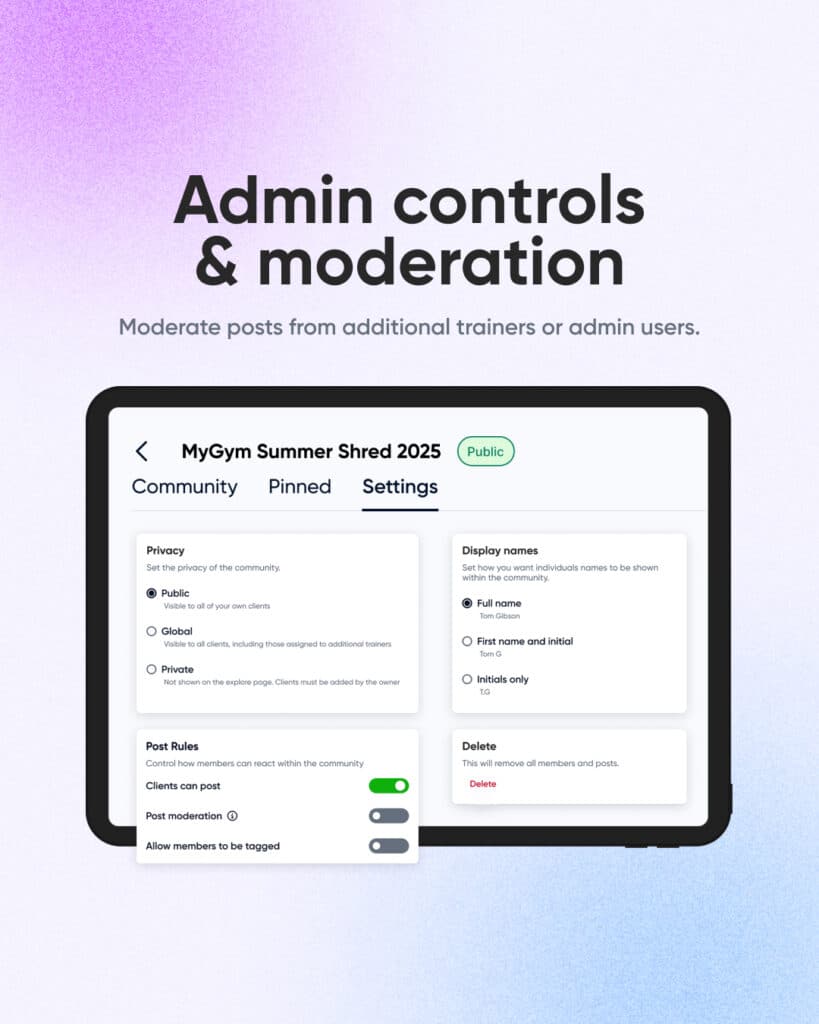
As your business grows, you can’t be everywhere at once. Communities recognizes this reality with flexible admin controls that let you delegate without losing oversight.
Add assistant coaches, virtual assistants, or senior clients as moderators who can help manage the community. They can approve posts if you’ve enabled moderation, remove inappropriate content or simply be additional positive voices keeping conversations flowing.
Different permission levels mean you maintain ultimate control while distributing the workload. Some moderators might only be able to post and comment. Others can manage members and content. You decide who gets what access based on your business structure and trust levels. Perfect for gyms, studios and online coaches managing large or sensitive client groups.
Trainers can also create anonymous communities by controlling display names and avatars. Hide profile photos and initialize member names to create a safe space where clients can share vulnerably without privacy concerns or fear of judgment.
Why Communities grows your fitness business
Clients stay longer when they feel connected. They train harder when others notice. They’re more loyal when your brand becomes their community.
Communities keeps everything inside My PT Hub — workouts, tracking, messaging and now connection — all in one app, with zero friction.
Ready to build a thriving fitness community that keeps clients engaged, connected, and coming back for years?
Communities is available now in My PT Hub.
Sign up to your 30-day free trial today and discover how powerful your community can be when it’s finally in the right place.