
If you’ve been coaching online for any length of time, you have probably had a spreadsheet phase. A tab for each client, one for check-ins, another for nutrition, maybe a mastersheet pulling everything together. It works, until it doesn’t. And when it stops working, it usually does so at the worst possible moment.
The good news is there is a better way to deliver online coaching, one that keeps everything organized, looks more professional to clients, and saves you a significant amount of time each week. This guide covers how to replace every key function of a spreadsheet-based system with purpose-built tools, including a practical breakdown of how to do all of it inside My PT Hub.
Contents:
- 1. Why spreadsheets slow coaches down
- 2. Replacing manual workout tracking
- 3. Delivering nutrition guidance without spreadsheets
- 4. Automating your client check-ins
- 5. Using forms for intake, PAR-Q, and ongoing data collection
- 6. Tracking client progress in one place
- 7. Habit tracking as a coaching tool
- 8. Managing communication without losing your mind
- 9. Building repeatable programs for online clients
- 10. Making payments and packages work without manual invoicing
- 11. What a spreadsheet-free coaching day actually looks like
Why spreadsheets slow coaches down

Spreadsheets aren’t inherently bad. They are flexible and familiar, which is why so many coaches default to them. The problem is that they require you to do everything manually. Every client update, every logged workout, every check-in response has to be entered, tracked and interpreted by you.
That process does not scale. As your client list grows, so does the maintenance burden. And unlike dedicated coaching software, spreadsheets don’t send push notifications, automatically log data from client devices or package up your check-in history for easy review.
The shift away from spreadsheets is not just about efficiency. It is also about the client experience. Clients who receive programs through a professional app, get push reminders for their habits and log their workouts in a clean interface are going to feel more engaged than clients filling in a shared Google Sheet.
Replacing manual workout tracking
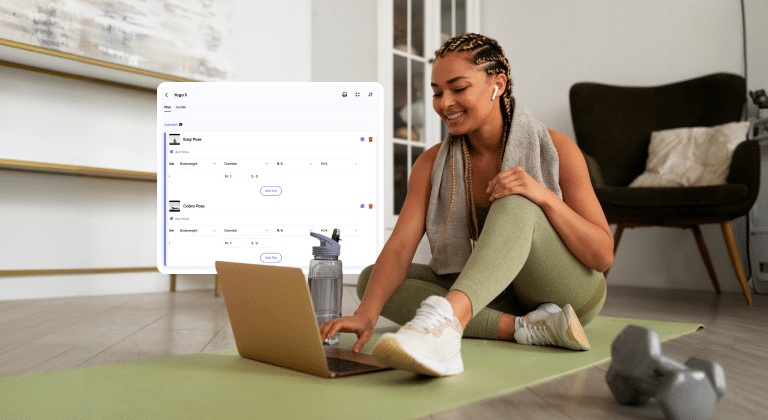
One of the biggest uses of spreadsheets in online coaching is logging and delivering workout plans. Coaches build plans in a table format, share them as PDFs or links, and then ask clients to fill in their sets and reps somewhere else. The back-and-forth involved is unnecessary.
In My PT Hub, workout delivery and logging happen in the same place. You build workouts in the Workouts section of your account, adding exercises with sets, reps, rest periods, and coaching notes. Clients receive these workouts in their app and log their performance directly as they train.
If you want to add custom exercises or video demonstrations, you can do that in the Exercises section. Custom exercises can be linked to YouTube videos, giving clients a visual reference without you having to send anything separately.
You can also view a client’s workout history at any time. Head to Contacts, click into a client’s profile, then go to Assignments. From there you can view workout compliance, including which sessions were completed and which were missed, without asking the client to tell you anything.
Delivering nutrition guidance without spreadsheets
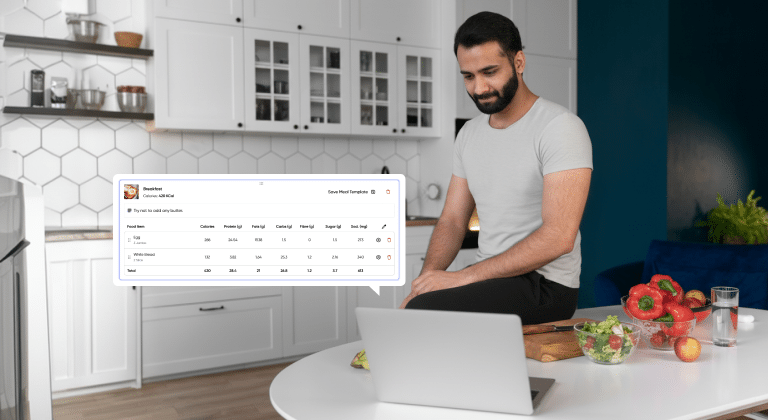
Nutrition is another area where coaches often resort to spreadsheets, creating calorie and macro trackers that clients fill in manually or, more likely, forget about by week two.
My PT Hub has built-in nutrition planning tools. You can create nutrition plans from the Nutrition section of your account, building out meals with foods from a searchable database and setting macro and calorie targets. When a client is assigned a plan, their shopping list is automatically populated based on the foods you have set, removing the need for a separate document.
Clients can log their meals directly in the app each day, and you can review their nutrition logs through their profile in your account. If a client already uses MyFitnessPal, they can sync their diary directly to My PT Hub. The integration pulls through the last seven days of their meal log and makes it visible to you in their profile under ‘Integration Activity’, so you can monitor their nutrition without requiring them to switch tools entirely.
Automating your client check-ins
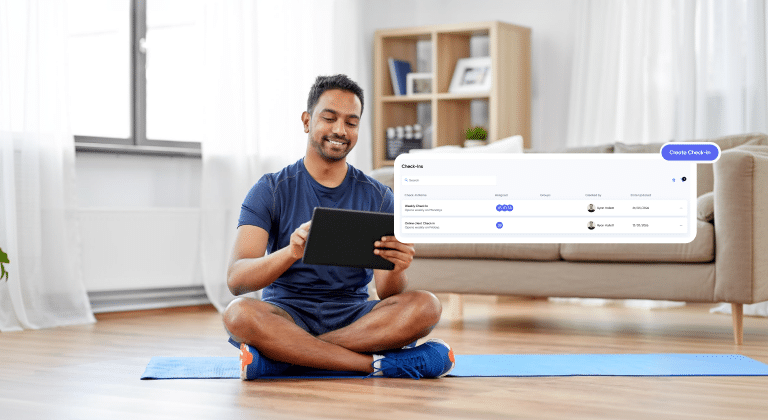
The weekly check-in is one of the highest-value touchpoints in online coaching. It is also one of the most time-consuming to manage manually, especially if you are sending reminder messages, collecting responses via email or DM and then transferring data into a tracking document.
My PT Hub has a dedicated Check-Ins feature that handles this automatically. To set one up, go to your Hub page and navigate to the Check-Ins area, then click “Create Check-In.” You can define the questions, set the frequency (daily, weekly, etc.), and assign it to clients. Clients are prompted by push notification and/or email when a check-in is due, so you don’t have to chase anyone, and your check-ins get sent out automatically each week. Simple.
When a client completes their check-in, it lands in your inbox for review. Measurements and progress photos submitted through the check-in are automatically stored in the client’s profile in the measurements and progress photo sections, so nothing gets lost and nothing has to be manually transferred anywhere.
The side-by-side comparison tool is particularly useful here. It lets you compare a client’s check-in responses week-over-week, month-over-month, or across any custom date range, which is the kind of progress overview that would take significant time to build in a spreadsheet and gives you clear data to support your coaching decisions.
Using forms for intake, PAR-Q, and ongoing data collection
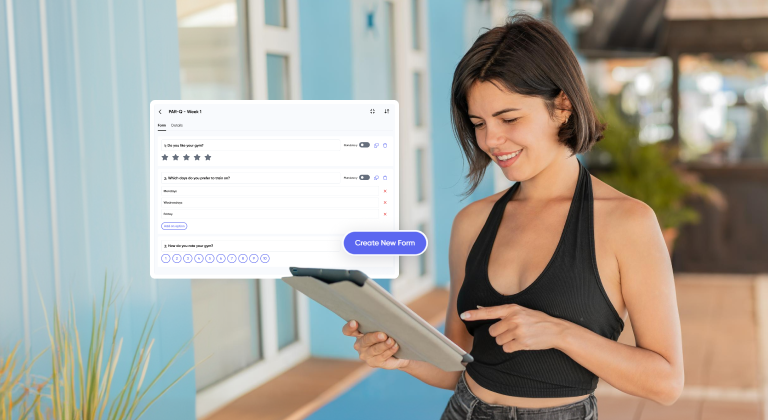
Before a client even starts training with you, you likely need to collect health history, goal information, lifestyle data, and a signed PAR-Q. In a spreadsheet-based system, this usually means a mix of Google Forms, email attachments and manually saved files.
My PT Hub has a built-in Forms section where you can create custom forms for any purpose, from initial intake questionnaires to goal-setting forms to weekly lifestyle check-ins. To create a form, go to Forms in the left-hand side menu and click “Create New Form.”
These forms can be added to the sign-up process for a package, so that when a new client purchases and creates their account, they complete the PAR-Q and any other forms you have set up before they access their program. Everything is stored in the client’s profile from day one, and you can update or resend forms at any point from within the Contacts area.
This replaces the common workaround of emailing a PDF, asking for it back signed, and then filing it somewhere. The whole process happens inside the platform.
Tracking client progress in one place
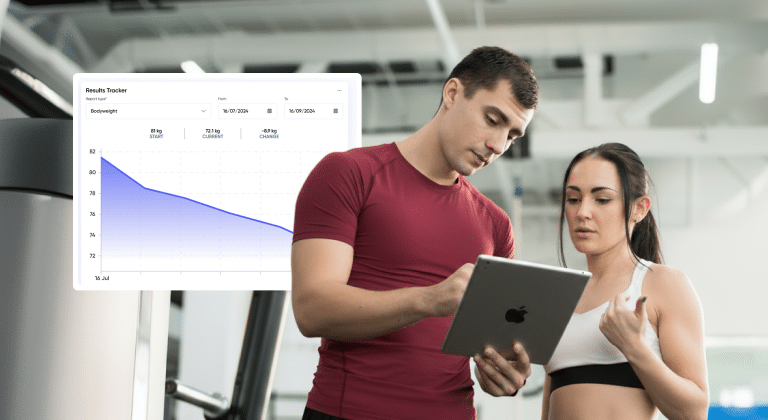
Progress tracking is where spreadsheet systems tend to get particularly messy. Measurements in one tab, progress photos in a separate folder, strength benchmarks somewhere else. Piecing together a picture of how a client is doing requires looking in multiple places.
In My PT Hub, all client progress data is stored in one profile. From the Contacts section, click a client’s profile and select ‘Results Tracker’. From here you can view progress across different report types and time periods using the dropdown menu, giving you a clear overview of how the client is tracking against their goals.
Personal bests for strength-based exercises are also tracked automatically. Whenever a client logs a weight that surpasses their previous best for an exercise, it is stored as a new personal best in their profile. This removes the need for a separate strength tracker and gives you useful data points for programming decisions.
For clients who use Apple Health or Google Fit, health data sync functionality is available, which allows activity and health metrics from those apps to feed into the client’s profile in My PT Hub, giving you additional visibility without the client having to manually log everything.
Habit tracking as a coaching tool
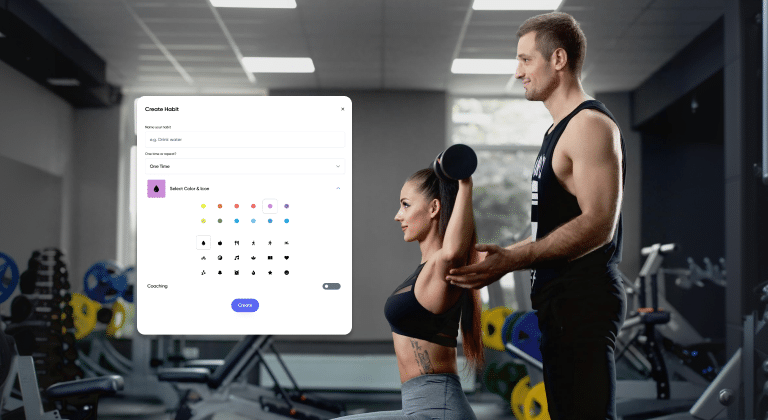
Lifestyle habits are a significant driver of results for most clients, and they are often the thing coaches struggle most to monitor outside of formal check-ins. A spreadsheet habit tracker relies entirely on client compliance with the document itself, which tends to drop off fast.
My PT Hub has a dedicated Habits feature that brings habit tracking into the same app clients use for everything else. To create a habit, go to Habits in the left-hand side menu and click “Create Habit.” You can name the habit, choose whether it is a one-time action or something that repeats, add a color and icon for easy identification and include any coaching notes.
When habits are assigned to a client, they receive a daily push notification reminding them to log the habit. This is much more effective than a spreadsheet reminder because it arrives on the client’s phone at a consistent time, in the same app where they log their workouts and nutrition.
You can assign multiple habits to a client and view their habit compliance within their profile, making it easy to see patterns and address them during check-ins or coaching calls.
Managing communication (without losing your mind!)

One of the least obvious but most significant sources of spreadsheet-adjacent chaos in online coaching is communication. Coaches end up managing client conversations across email, WhatsApp, Instagram DMs and SMS simultaneously, with no clear record of what was agreed and no easy way to search past conversations.
My PT Hub has a built-in messaging system (Chat) with several options designed specifically for coaching workflows.
Individual messages lets you send a 1:1 message directly from within the platform, keeping all conversations in one place and accessible from both the web browser and the mobile app.
Group messages allows you to bring multiple clients into a single conversation thread, useful for cohort-based programs or accountability groups. To set one up on the mobile app, go to Chat, hit Create, and select Group Chat. You can add clients individually or from an existing client group.
Broadcast messages allows you to bring multiple clients into a single conversation thread, useful for cohort-based programs or accountability groups. To set one up on the mobile app, go to Chat, hit Create, and select Group Chat, You can add clients individually or from an existing client group.
My PT Hub also has an ‘Automated Messages’ feature in the Chat section on the web browser, which allows you to set up automated messages based on triggers like completing a certain number of workouts or making a purchase.
Building repeatable programs for online clients
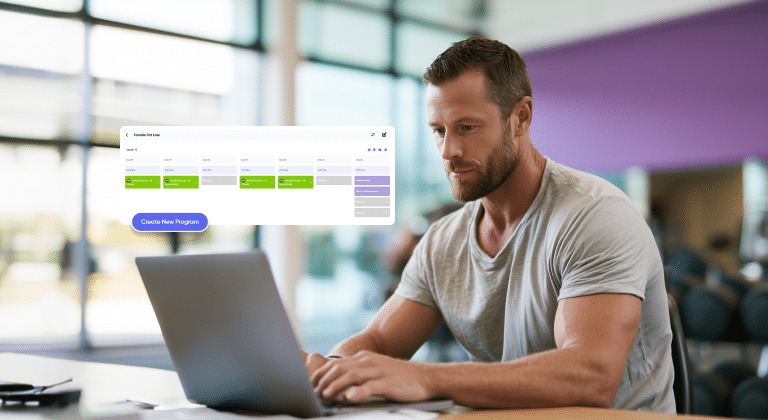
Creating a custom program from scratch for every new client is the most time-intensive version of online coaching. It is also the approach most likely to keep a coach permanently anchored to spreadsheets, because there is no other obvious structure for building out a multi-week plan.
My PT Hub’s Programs let you build multi-week structured plans that can be assigned to multiple clients without rebuilding anything. To create a program, go to Programs in the left-hand side menu and click “Create New Program.” You add weekly workouts and nutrition plans using the “Add New” button for each day, then save the program when it is complete.
Once built, the program can be packaged and sold or assigned to clients on either a fixed start date (useful for cohorts) or a flexible start date (useful for rolling enrollments). You can also duplicate an existing program and adapt it, which is useful when you want to create a variation for a different fitness level or goal without starting from scratch.
Programs in My PT Hub also support automated messages, so you can schedule motivational prompts, check-in reminders, or instructional notes to go out to clients at specific points in the program without sending them manually.
Making payments and packages work without manual invoicing

Alongside all the delivery-side chaos, many coaches using spreadsheets are also managing payments manually, tracking who has paid, chasing outstanding invoices and keeping payment records in a separate document.
My PT Hub handles payments through Packages via integration with Stripe, which means once a client purchases a package, payment is processed, recorded and visible in your Financials area automatically. You can see a seven-day revenue snapshot on the dashboard and access full payment history without needing to maintain any kind of manual ledger.
Packages can be set to one-off payments or recurring billing (weekly or monthly), and you can limit the number of sales per package, add expiry dates, or set packages to run indefinitely as memberships. Discount vouchers can be applied at checkout for promotional offers.
The onboarding process is also built into the package purchase flow. When a new client buys a package, their account is created, their assigned program and content is loaded into their profile, and any intake forms or PAR-Q are presented to them automatically. No spreadsheet, no manual email chain, no separate document sharing required.
What a spreadsheet-free coaching day actually looks like
To make this concrete, here is what a typical coaching day can look like when all of the above is in place.
Your check-in inbox shows which clients have submitted their weekly check-ins overnight. You review them one by one using the side-by-side comparison view, leaving a response message in the chat for each client. Any measurements or photos submitted are already saved to their profiles.
You check the compliance view for any clients on active programs to see who completed their workouts and who missed sessions. For clients who missed a session, you send a quick message via the in-app chat.
A new client has come in overnight through your MySite page. Their account was created when they purchased the package, their intake form is already completed, and their program is loaded and ready. All you need to do is send a welcome message.
Payments have been processed automatically and appear in your Financials section. No invoice chased, no bank transfer checked.
That is a morning’s worth of coaching admin handled without opening a single spreadsheet. It takes some setup to get there, but once the systems are in place, it is the standard.
Delivering online coaching without spreadsheets is not about finding a workaround for a broken system. It is about using a system that was actually built for the job. The time saved on administration is time that goes back into coaching, client relationships, and growing your business. Which, in the end, is what you signed up for.