
Tracking client progress is one of the most important things an online personal trainer can do, and also one of the easiest to let slip. When you are not seeing clients face to face every week, the data has to do the work that an in-person session might do naturally. Without a clear system for collecting, storing, and reviewing progress information, you’re essentially coaching blind.
The good news is that tracking progress online does not have to mean chasing clients for updates or manually compiling data from multiple sources. With the right setup, your progress tracking system can largely run itself, and you can spend your time acting on the data rather than collecting it.
Contents:
- 1. What progress actually means in online coaching
- 2. Setting a baseline at the start of coaching
- 3. Tracking body measurements and physical changes
- 4. Using progress photos effectively
- 5. Monitoring workout performance and personal bests
- 6. Tracking nutrition compliance
- 7. Automated check-ins as your primary progress tool
- 8. Using forms for structured data collection
- 9. Monitoring habit compliance between sessions
- 10. Reviewing program compliance
- 11. How to use all of this data in practice
What progress actually means in online coaching

Progress doesn’t just mean the number on the scale. For most clients, meaningful progress includes some combination of changes in body composition, improvements in strength or fitness, better adherence to nutrition and lifestyle habits and how they feel day to day. Tracking only one of these gives an incomplete picture and, more importantly, can make a client feel like they are failing even when they aren’t.
Effective progress tracking for online coaches means capturing data across multiple dimensions and reviewing it regularly enough to spot trends before they become problems. It also means having a system your clients will actually engage with, because the most technically sophisticated tracking setup is useless if clients don’t use it.
Setting a baseline at the start of coaching

Every progress tracking system needs a starting point. Without a clear baseline, it is impossible to demonstrate meaningful change to a client (even when real change has happened).
Before a client begins their program, collect the data points you plan to track throughout coaching. This typically includes body weight, key measurements, a PAR-Q and health history, fitness goals and baseline fitness data (where relevant). Progress photos taken at the start of coaching are also valuable, even if clients are reluctant, because they become powerful motivation later on.
In My PT Hub, you can build intake forms that collect all of this information as part of the onboarding process. When a client purchases a package, any forms you have attached to it, including the PAR-Q and a custom intake questionnaire, are presented to them automatically during sign-up. To create a form, go to Forms in the left-hand side menu and click “Create New Form.” You can add any questions you need and then attach the form to a package using the Assignments tab when setting up the package.
This means every new client starts with a populated profile and a documented baseline, without any manual data entry on your part.
Tracking body measurements and physical changes

Body weight and measurements are among the most commonly tracked progress metrics in personal training, and they are also the ones clients are most likely to read too much into on a week-to-week basis. Your job as a coach is to provide context for the data, which requires having accurate, timestamped records over time.
In My PT Hub, you can update a client’s measurements directly from their profile. From the Contacts section, click into the client’s profile, then select “Update Measurements.” From here you can enter body weight and body measurements in the relevant fields, as well as vital stats including muscle mass, water percentage, height, resting heart rate, blood pressure, body type, and training frequency. You can also log in body fat measurements via the ‘Body Fat Measurements’ tab.
Measurements are saved with a date stamp, which means you can look back at the full history of a client’s physical data over any time period. Clients can also update their own measurements directly in the app, meaning this does not always have to be a trainer-led task.
Once data has been logged consistently, the ‘Results Tracker’ in the client’s profile lets you view progress across different report types and time periods from a single dropdown menu, making it straightforward to identify trends without manually pulling data together.
Using progress photos effectively

Progress photos are one of the most compelling forms of visual evidence in fitness coaching. Used well, they show clients changes that the scale often obscures, such as improvements in body composition where weight has stayed relatively stable but shape has changed significantly.
The challenge online is making sure clients actually take and submit photos consistently, and that those photos are stored in a way that makes comparison easy.
In My PT Hub, clients can upload progress photos directly from their app. They can access this from the Hub by clicking on Progress Photos, then pressing ‘Upload’. Photos are stored in their profile under ‘Results’, where they can be viewed and compared over time. Any progress photos submitted through the Check-Ins feature are also automatically saved to the client’s progress photo area in their profile, which keeps everything in one place without requiring any manual filing.
To make photo tracking as easy as possible for clients, include clear guidance in your welcome materials about timing (e.g., same day each week, same lighting, same clothing) and remind clients that photos are private and only visible to them and their trainer.
Monitoring workout performance and personal bests
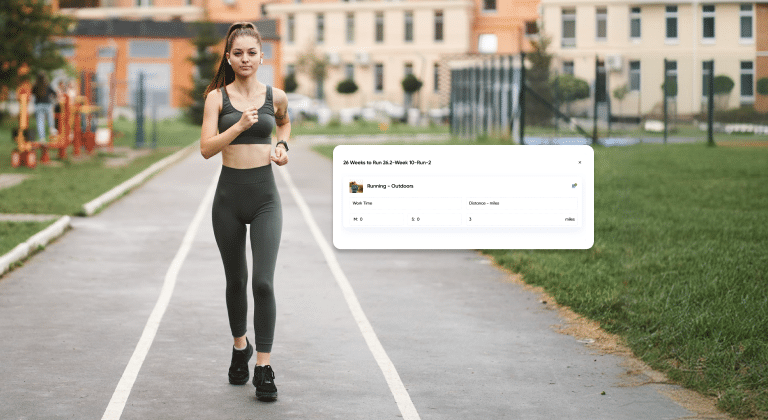
One of the clearest indicators of training progress is improvement in workout performance over time. Whether a client is lifting heavier, completing more reps, or finishing the same session in less time, these are concrete data points that go far beyond what a scale can tell you.
In My PT Hub, clients log their sets, reps, and weights directly in the app as they train. As a trainer, you can view a client’s workout history at any time by going to Contacts, clicking the client’s profile, going to ‘Assignments’, then ‘Workouts’, and clicking the three dots next to any workout to view the logged history.
Personal bests are tracked automatically for strength-based exercises. The platform records max weight lifted, max reps, and max volume for each exercise. When a client achieves a new personal best during a session, it is flagged in the post-workout summary and stored in their profile. You can view personal bests from the ‘Activity Feed’ (on the mobile app or web), from the Calendar, or by selecting ‘Exercise History’ when reviewing a client’s workout directly in their profile.
This means you have a running record of strength progression for every client without having to ask them to track anything separately. When a client says they “haven’t made any progress,” you can pull up a timeline of their personal bests and show them exactly how far they’ve come.
Tracking nutrition compliance

Nutrition is often where online coaching becomes most difficult to monitor. Clients can follow their training plan closely but undermine their results through poor nutrition, and without visibility into what they are eating, a coach can’t effectively identify and address the issue.
My PT Hub has a built-in nutrition logging tool (Nutrition) that allows clients to log meals against assigned plans each day. You can view a client’s nutrition logs from within their profile under the relevant assignments section.
For clients who already use MyFitnessPal, My PT Hub offers a direct integration. Clients connect their MyFitnessPal account in their settings and sync their daily diary to My PT Hub. As a trainer, you can view the synced data in the client’s profile under Contacts, then the relevant client, then ‘Integration Activity’. The integration pulls through the last seven days of meal diary data, including daily calorie totals and macro breakdowns, so you have up-to-date nutrition information without requiring the client to log in two separate places.
Automated check-ins as your primary progress tool
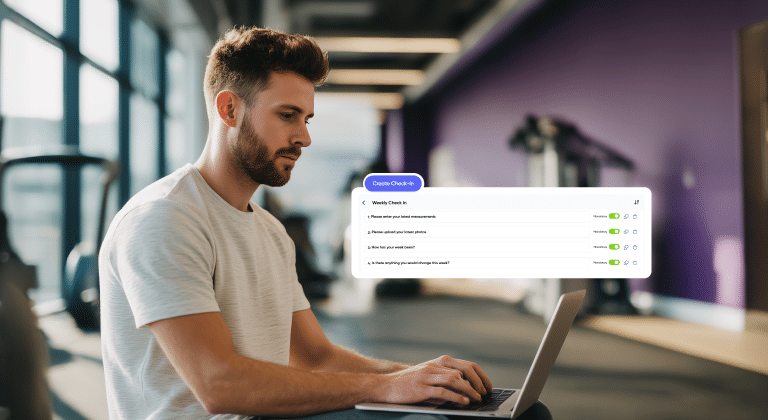
The structured weekly check-in is the backbone of most successful online coaching relationships. It creates a regular touchpoint, prompts clients to reflect on their week, and gives coaches consistent, comparable data across all clients.
My PT Hub has a dedicated Check-Ins feature that automates the process. To create a check-in, navigate to the Check-Ins area, and click “Create Check-In.” You can set the questions, define the frequency, and assign it to the relevant clients.
When a check-in is due, clients are prompted by push notification and/or email, which removes the need to send manual reminders. Clients complete the check-in via their app or web browser and the completed response lands in your trainer inbox for review.
Measurements and progress photos submitted through a check-in are automatically saved to the client’s main measurements and progress photo areas in their profile, so no data gets lost or needs to be transferred manually.
The side-by-side check-in comparison tool is particularly valuable for coaching conversations. It lets you compare any two check-ins from a client directly, whether week-over-week, month-over-month, or from day one versus now. This kind of clear before-and-after view makes it easy to identify what’s changing, what isn’t, and where your coaching attention needs to go.
Using forms for structured data collection

One of the least obvious but most significant sources of spreadsheet-adjacent chaos in online coaching is Beyond check-ins, forms are a flexible tool for collecting specific data at different points in a coaching relationship. Common examples include goal-setting forms completed at the start of a new phase, lifestyle questionnaires used to investigate plateaus, and feedback forms used at the end of a program.
To create a form in My PT Hub, go to Forms in the left-hand side menu and click “Create New Form.” You can build out any combination of question types and save the form for reuse across multiple clients.
Forms can be attached to packages (so they are delivered automatically as part of onboarding) or sent to individual clients at any point via their profile in the Contacts section. Completed forms are stored in the client’s profile, giving you an accessible record of responses over time.
Having a structured form for specific situations, such as a plateau investigation form or a four-week review form, is more efficient than trying to capture the same information through a freeform chat conversation, and it gives you comparable responses across clients.
Monitoring habit compliance between sessions

Most of the progress a client makes happens between coaching touchpoints, in the daily choices around sleep, stress, hydration, steps and the lifestyle habits that support or undermine their training. Tracking habit compliance gives a coach visibility into these areas without requiring daily check-in calls.
In My PT Hub, habits are created from the Habits section in the left-hand side menu. Click “Create Habit” and define the habit name, frequency (one-time or repeating), color, icon, and any coaching notes. Once created, habits are assigned to clients from within their profile under the Habits sub-menu. You can assign multiple habits at once, and you can also assign habits to client groups if you want to roll out the same habit to a number of clients simultaneously.
Clients receive push notifications at 8am reminding them of their active habits for the day, and another at 8pm summarizing how many they completed. This built-in accountability loop means clients are prompted to log their habits daily without any manual follow-up from you.
Habit compliance data is visible in the client’s profile, allowing you to review their consistency over time and use that information in check-in conversations or to inform adjustments to their program.
Reviewing program compliance

You can assign your clients the most amazing training plan, but they might never actually follow it. For online coaches who can’t physically see whether a client is showing up to their sessions, compliance data is essential.
In My PT Hub, you can view an overview of all clients on active programs under Programs > Compliance and see exactly who is (and isn’t) sticking to their programs. This makes it easy to quickly identify clients who are at most risk of dropping out and getting them back on track, as well as motivating those who are successfully adhering to their plans.
How to use all of this data in practice
Collecting progress data is only useful if you actually review it and act on it. Here is a practical framework for using the tracking tools above without turning data review into a full-time job.
Set a weekly review cadence. When check-ins come in, review them against the previous week using the side-by-side comparison tool. Flag anything that stands out: significant weight fluctuations, low habit compliance, missed sessions, or answers that suggest the client is struggling.
Use the data to personalize your responses. Rather than sending a generic check-in reply, reference specific data points (you can use our built-in Check-Ins AI feature to do this automatically!). Noting that a client hit three personal bests this week, or that their habit compliance was 90%, makes feedback feel informed and attentive, which builds trust and retention.
Look at longer trends monthly. Body weight fluctuates week to week for many reasons. Looking at a client’s ‘Results Tracker’ over a four to six week period gives a much cleaner picture of what is actually happening in terms of body composition and fitness.
Use the data when things are going well too. Progress can feel invisible to clients even when it is clearly happening. Pulling up a client’s strength history or progress photos at the right moment is one of the most effective tools for boosting motivation and reinforcing commitment to the program.
Tracking client progress as an online personal trainer is a system, not a single task. Set it up properly at the start of each coaching relationship, review it consistently, and it will give you everything you need to coach with confidence and keep clients engaged for the long term.