
Managing clients online is one of the most valuable skills a personal trainer can develop. Whether you’re coaching five clients or fifty, having a clear system for delivering programs, tracking progress, communicating and getting paid makes the difference between a business that runs smoothly and one that keeps you up at night.
This guide covers the key areas of online client management, with practical steps you can start using right away, including how to use My PT Hub to handle each one.
Contents:
- 1. Onboarding new clients efficiently
- 2. Delivering training programs and workouts
- 3. Tracking client progress and compliance
- 4. Nutrition coaching and tracking
- 5. Client communication and messaging
- 6. Using check-ins to stay connected
- 7. Habit tracking for better results
- 8. Managing payments and package
- 9. Scaling your client base without losing quality
Onboarding new clients efficiently
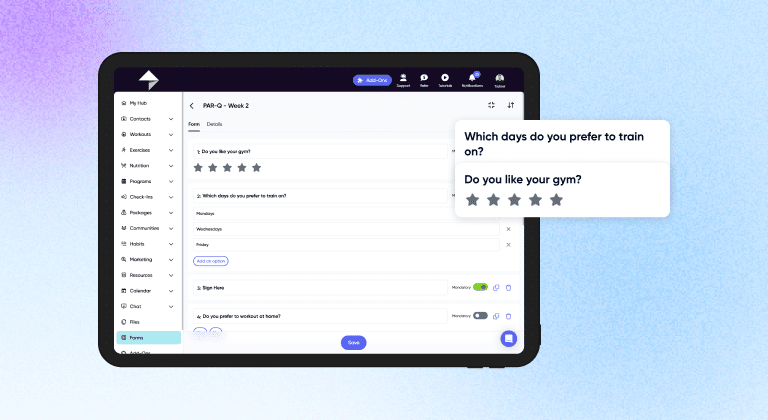
A strong onboarding process sets the tone for the entire coaching relationship. When clients sign up and don’t know what to expect, they get confused and anxious before they’ve even started. Solid onboarding prevents all of that.
Good online onboarding typically involves collecting health information (like a PAR-Q), getting clients to sign a waiver, understanding their goals, and making sure they know how to access their training content.
How to onboard clients in My PT Hub:
- When a new client signs up, My PT Hub automatically assigns them a PAR-Q form to complete.
- You can also set up additional onboarding steps using the Forms feature, such as a goal-setting questionnaire or a custom waiver, so clients complete everything before their first session.
- You can customize the welcome email they receive and even automatically assign a training plan on signup through the Packages feature.
- Once they’re in, clients are automatically linked to your account and see your branding in their app. No awkward “how do I find you” messages.
Top tip: Create a simple onboarding workflow that runs the same way for every new client. This saves time and ensures no one falls through the cracks.
Delivering training programs and workouts
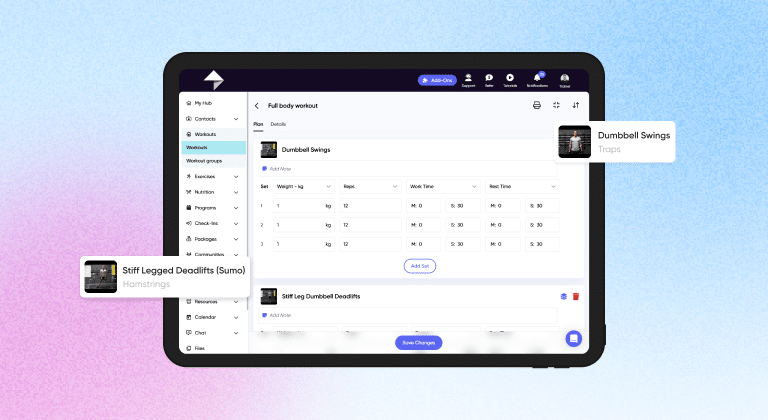
Sending someone a PDF workout over email was fine in 2005. In 2025, clients expect something they can follow on their phone, tick off set by set and review their history on. Program delivery is one of the most direct ways you demonstrate your professionalism as an online coach.
A strong program delivery system lets clients access their workouts from anywhere, log their sets and reps as they go, and receive updates without you having to manually message each person.
How to deliver workouts and programs using My PT Hub:
- Trainers build workouts and multi-week programs using the desktop software or the app, then assign them to clients directly.
- Clients complete their workouts through the My PT Hub companion mobile app, logging every set, rep and weight as they go. You can then view their completed assignments through your account.
- You can build progressive programs that scale with your client’s development, and use the multi-assign shortcut to push the same content to multiple clients or client groups at once. This is particularly useful for challenge programs or group-based memberships.
Top tip: Build out a library of workout templates you can quickly customize per client, rather than starting from scratch every time. This is where a platform with a searchable content library earns its keep.
Tracking client progress and compliance
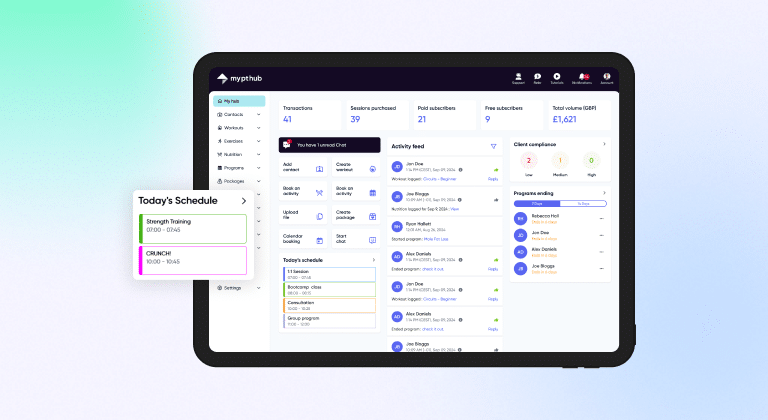
One of the hardest parts of online coaching is knowing how clients are actually doing when you’re not in the room with them. Are they completing their sessions? Are they making progress? Is someone quietly slipping without you noticing?
Progress tracking and compliance monitoring answer those questions without requiring you to individually check in on every client every day.
How to track client progress in My PT Hub:
- The ‘Activity Feed’ on your main dashboard gives you a real-time view of what clients have been completing across your entire base.
- For individual tracking, you can pull up a client’s profile in Contacts to see their full activity history.
- The ‘Compliance’ feature (found under Programs) assigns each client a High, Medium, or Low compliance score based on how closely they’re following their assigned program. Both you and the client can see this score, which creates two-way accountability.
- You can also generate custom progress reports in the Results Tracker area to visualize things like weight loss or strength improvements over time.
Top tip: Check compliance scores weekly as part of your routine admin. Clients with a consistently low score are often the ones most at risk of canceling. Catching that early gives you the chance to intervene with support rather than a cancellation notice.
Nutrition coaching and tracking
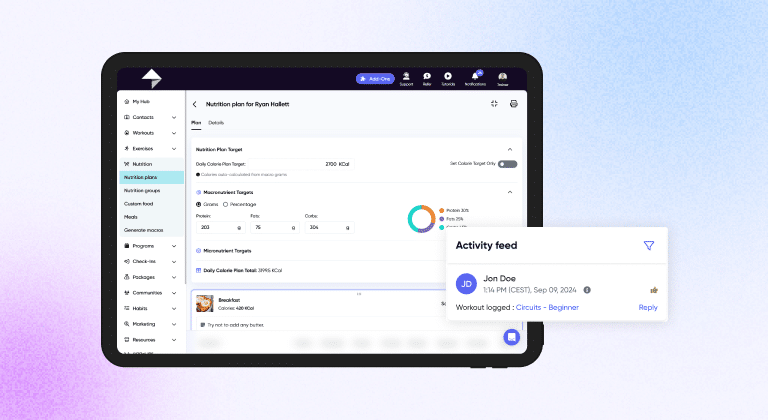
Training accounts for a portion of a client’s results. Nutrition accounts for a lot of the rest. Online coaches who can offer even basic nutrition guidance and tracking significantly increase the value they deliver.
You don’t need to be a registered dietitian to help clients build better eating habits, log their food and understand their macros. A platform that supports nutrition planning makes this far more achievable.
How to coach and track nutrition in My PT Hub:
- Head to Nutrition in your account to create unlimited custom nutrition plans, set individual macro and calorie targets and assign meal plans directly to clients. My PT Hub includes the world’s largest verified nutrition database covering over 650,000 food items, along with a barcode scanner in the app so clients can log meals quickly.
- Clients’ logged food shows up in real time for trainers to view, and you can react or comment via the ‘Activity Feed’.
- My PT Hub also integrates with MyFitnessPal, Apple Health, Fitbit, and Google Fit, so you can pull in data clients are already tracking elsewhere.
- Clients automatically receive a shopping list based on their assigned plan.
Top tip: If you’re newer to nutrition coaching, start by using pre-made nutrition plan templates and adjusting them to each client’s goals. This is much faster than building from scratch and still produces personalized results.
Client communication and messaging
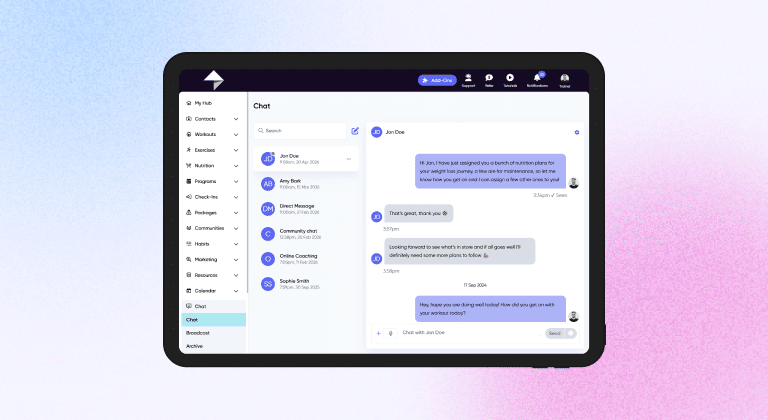
Clients who feel connected to their coach stick around longer and get better results. Communication is a core part of the service you’re delivering, not just an admin task. That said, you also need a system that doesn’t mean you’re available 24/7 on WhatsApp fielding questions about the health benefits of brown rice.
Structured in-app messaging keeps communication professional, logged and manageable.
How to do it in My PT Hub:
- My PT Hub’s Chat feature supports individual, group, and broadcast messages. You can send text, images, videos, voicenotes, GIFs and links.
- Trainers can also set up automated messages that trigger based on specific actions or milestones. For example, a congratulatory message when a client completes their first ten workouts, or a check-in prompt if they haven’t logged anything in a few days.
- You can attach workouts, nutrition plans, or purchasable packages directly within a chat message.
- Broadcast messaging lets you send a message to your entire client base, or a specific group, in one go.
Practical tip: Use automated messages strategically for motivation touchpoints. A well-timed “Congrats on completing 50 workouts!” message costs you nothing to set up and can genuinely make a client’s day.
Using check-ins to stay connected
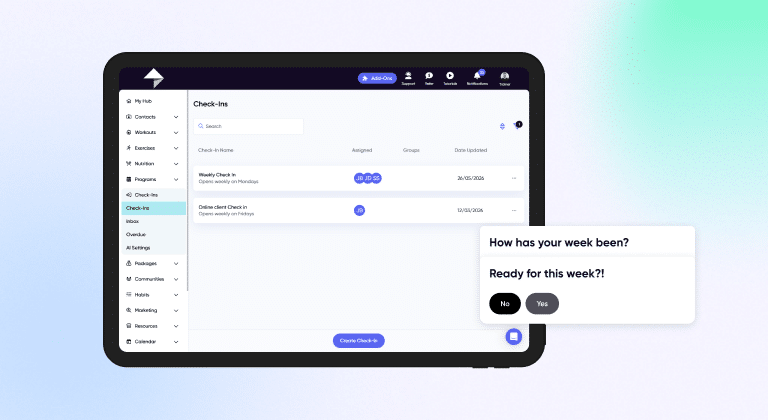
Scheduled check-ins are one of the most effective retention tools an online coach has. They create regular accountability, give you data to make better coaching decisions and show clients that you’re actively engaged in their progress.
The difference between a good check-in system and a bad one is automation. Manually sending check-in forms every week is unsustainable. Setting it up once and letting it run is not.
How to do it in My PT Hub:
- The Automated Check-Ins feature lets you build fully custom check-in forms with your own questions and answer formats. You can set these to recur on a daily, weekly, bi-weekly, or monthly basis, with customizable open and close timings, reminders, and push notifications.
- Clients submit their check-ins via the app or web browser, and you manage responses through a dedicated check-ins inbox. You can reply by text, voicenote, or video.
- The side-by-side comparison tool lets you compare a client’s responses week over week or month over month, which is particularly useful for spotting trends in mood, energy, or adherence.
- The Check-Ins AI feature can also help you process and respond to check-in data much faster, reducing your admin time by up to 80%.
Top tip: Keep check-in forms concise. Five to eight well-chosen questions will get you more useful data than a twenty-question form that clients start skipping.
Habit tracking for better results
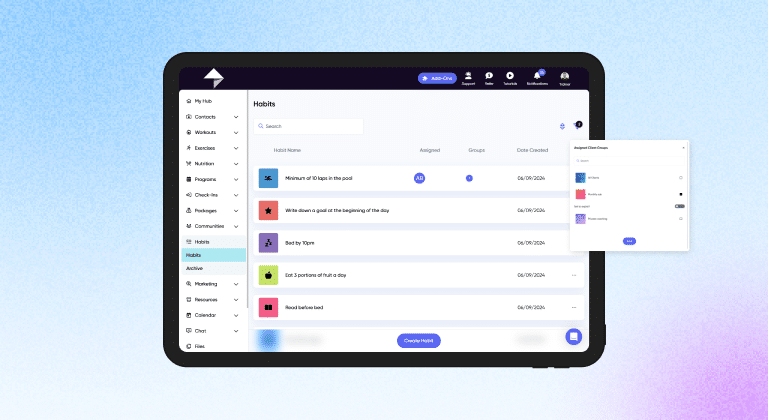
Workouts and nutrition plans are important. What clients do the other 23 hours of the day matters too. Sleep, hydration, steps, stress management and daily movement all influence results. Hhabit tracking is a practical way to coach those behaviors.
Assigning habits gives you visibility beyond the gym session and gives clients something to work on that isn’t a formal workout.
How to do it in My PT Hub:
- The Habits feature lets you create and assign custom daily habits to clients. Clients receive morning push notifications reminding them to complete their habits, and an evening notification summarizing their progress for the day.
- As a trainer, you can view each client’s habit completion data and track trends over time.
- To assign the same habits to multiple clients at once, you can use the Groups feature and assign in bulk using the ellipsis menu.
Practical tip: Start with two or three habits per client rather than assigning ten at once. Small wins build compliance. Too many habits at once tends to get overwhelming and ignored.
Managing payments and packages
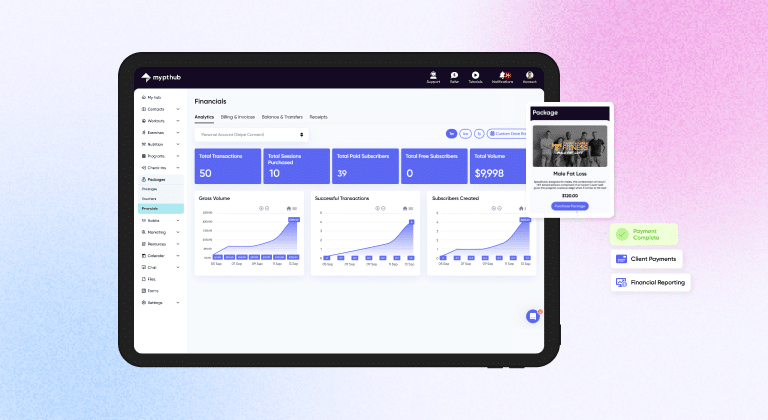
Getting paid consistently and on time is not a nice-to-have. It is the foundation of a functioning business. Online coaches who rely on manual invoicing, bank transfers, or informal payment agreements tend to have cash flow problems and awkward conversations.
Integrating payments directly into your coaching platform makes the whole process cleaner for both you and your clients.
How to do it in My PT Hub:
- Payments are processed through Stripe, which you can connect directly within the Packages tab. Once set up, clients can pay via debit or credit card, Apple Pay or Link.
- You can create packages for one-time or recurring payments, attach training programs that auto-deliver on purchase, and manage everything through the Financials feature. This gives you a clear overview of recurring revenue, individual client payment history, and key business metrics like gross volume and total subscribers.
- You can also generate custom financial reports for specific date ranges, which is useful for tax purposes and business planning.
Top tip: Use Packages not just for payment collection but as a marketing tool. A clearly named, well-priced package that explains what’s included is far easier to sell than a vague “contact me for pricing” approach.
Scaling your client base without losing quality
One of the most common fears coaches have about growing is that they’ll end up doing a worse job for existing clients. That fear is valid if you don’t have systems. With the right platform, scaling from 10 clients to 50 doesn’t have to mean cutting corners.
The key is using tools that let you automate the repetitive parts of client management while keeping the personal elements genuinely personal.
How to do it in My PT Hub:
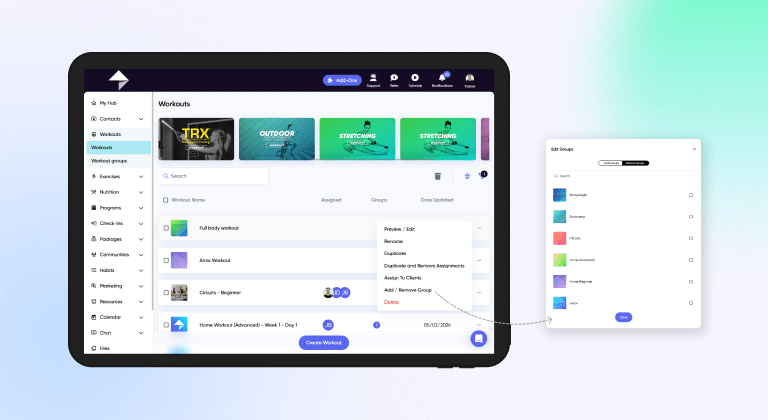
- The Groups feature allows you to manage multiple clients simultaneously by assigning workouts, nutrition plans, programs and forms to entire client groups at once. This is especially useful for online challenges, membership tiers, or clients following the same training block.
- There’s no cap on client numbers with My PT Hub’s Premium subscription, so you’re not paying more as you grow. If your business expands to include other trainers or coaches, you can add additional trainer accounts, each with their own clients, calendars, and content.
- You can also build a custom white-labeled app with your own branding, giving the client experience a premium, professional feel regardless of how many people you’re coaching.
Practical tip: Before you scale, make sure your onboarding, program delivery, check-ins, and payment systems all run without manual input at each step. If any of those still require you to manually action every new client, fix that first.
In summary
Managing clients online well comes down to having reliable systems for every part of the coaching cycle: getting clients started, delivering quality coaching, staying in contact, monitoring progress and getting paid. None of these need to be complicated, but all of them need to be consistent.
A platform like My PT Hub brings all of these functions into one place, which reduces the time you spend switching between tools and increases the time you spend actually coaching. The trainers who manage online clients most effectively are usually not the ones working the longest hours. They’re the ones who’ve set up their processes once and let them run.