
Getting a new client through the door is a win. Getting them set up, informed, and ready to train without a mountain of paperwork and back-and-forth messages? That’s the real goal. Digital onboarding lets you create a professional, streamlined experience for new clients from day one, whether they’re training in person, online or a mix of both.
This guide walks you through how to onboard new personal training clients digitally, what to include, and how tools like My PT Hub can help you automate and simplify the whole process.
Contents:
- What digital onboarding actually means for personal trainers
- 2. Step 1: Collect client information before the first session
- 3. Step 2: Send a welcome pack digitally
- 4. Step 3: Get your liability waivers and forms signed online
- 5. Step 4: Set up your client’s profile and training plan
- 6. Step 5: Assign nutrition guidance and goals
- 7. Step 6: Introduce clients to their app or portal
- 8. Step 7: Schedule the first session and set communication expectations
- 9. Tips for making digital onboarding feel personal, not robotic
- 10. How to know your onboarding process is actually working
What digital onboarding actually means for personal trainers

Digital onboarding is the process of welcoming and setting up a new client entirely (or mostly) through online tools, without relying on printed forms, in-person paperwork sessions, or long email threads.
For personal trainers and fitness coaches, a solid digital onboarding process typically covers:
- Collecting health and lifestyle information
- Signing waivers and agreements
- Setting up training plans and goals
- Giving clients access to a platform or app
- Establishing how you’ll communicate and what to expect
Done well, it saves you time, looks professional and gives clients a great first impression before they’ve even lifted a weight.
Collect client information before the first session

Before you can program anything, you need to know who you’re working with. A digital intake form lets you gather this information ahead of time so your first session is productive rather than admin-heavy.
Your intake form should include:
- Basic contact details
- Health history and any medical conditions or injuries
- Current fitness level and exercise history
- Goals (short-term and long-term)
- Lifestyle factors like sleep, stress, and occupation
- Availability and preferred training days
Using My PT Hub: My PT Hub allows you to create custom questionnaires that clients complete directly through the app. You can build out your intake form with the specific questions you need, and responses are stored against the client’s profile for easy reference. You can set these questionnaires to send automatically when a new client is added.
Send a welcome pack digitally

A welcome pack sets the tone for your working relationship. It doesn’t need to be elaborate, but it should give clients a clear picture of what to expect, how to work with you, and where to find things.
A good digital welcome pack typically includes:
- A brief introduction to you and your coaching approach
- An overview of how sessions are structured
- Details on how to contact you and your response times
- What they’ll have access to (app, training plans, nutrition guidance, etc.)
- Any policies around cancellations, rescheduling, or missed sessions
This can be a PDF, a page on your website, or even a short video. The key is that it gets delivered automatically rather than manually every time you sign a new client.
Using My PT Hub: You can attach documents and resources to a client’s profile or include them in your onboarding questionnaire flow. Custom branding options also allow your welcome materials to look consistent with your business.
Get your liability waivers and forms signed online
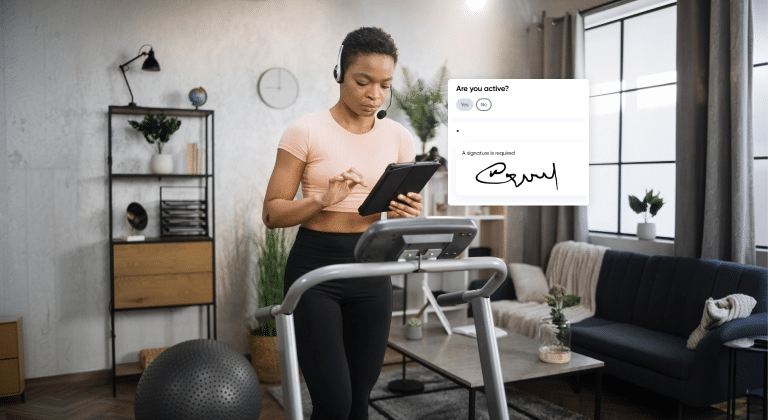
Paper waivers get lost. Digital waivers don’t (or at least, they’re a lot harder to misplace). Getting your liability waiver, PAR-Q, and any other agreements signed before the first session is a basic but important step that protects both you and your clients.
At minimum, you’ll want to collect:
- A PAR-Q (Physical Activity Readiness Questionnaire)
- A liability waiver
- Any agreement covering your policies and terms
Using My PT Hub: My PT Hub automatically sends a PAR-Q form to any new client who signs up to train with you, alongside a built-in digital waiver and agreement feature called Forms. You can create custom waivers that clients are required to sign via e-signature before they can access their plans. Completed waivers are stored on the platform, so you’ve always got a record if you need one.
Set up your client’s profile and training plan

Once you’ve got their intake information, it’s time to build their program. A digital platform lets you do this before the first session so clients can see their plan, get familiar with the exercises, and come in prepared.
When setting up a client profile and initial plan, think about:
- Inputting their goal, start weight, and any relevant metrics
- Building a training plan that matches their current fitness level
- Including exercise demos or video links so they know what to expect
- Structuring the plan across the weeks or months you’re working together
Using My PT Hub: My PT Hub lets you create individual workouts and full multi-week training programs that can be assigned directly to a client’s profile. You can add sets, reps, rest periods, and video demonstrations for each exercise. Programs can be built from templates, which is a time-saver when you’re onboarding multiple clients with similar goals.
Assign nutrition guidance and goals

Not every trainer offers nutrition coaching, but even basic guidance, such as calorie targets, macros, or a simple meal framework, is something clients often expect as part of a digital package. Having this ready as part of onboarding adds value and reduces the number of “so what should I eat?” messages you’ll get.
Using My PT Hub: My PT Hub includes nutrition tracking featured where you can set targets for clients and they can log their food through the app. You can also assign meal plans or nutrition documents to them directly via the app. This gives clients a clear starting point rather than leaving them guessing.
Introduce clients to their app or portal

This is a step a lot of coaches skip, and it shows. If a client doesn’t know how to use the platform you’ve set up for them, they won’t use it, and then the whole digital onboarding thing falls apart pretty quickly.
How you introduce the app matters:
- Walk them through it in person or via a short video call if possible
- Create a short “how to use this” guide or video they can refer back to
- Make sure they’ve downloaded the app and logged in before the first session
- Show them where to find their plan, how to log workouts, and how to message you
Using My PT Hub: Coaches can add clients through My PT Hub, which will send them an automatic email invite to download the app and start training. Coaches can also opt for a full white label app experience with My PT Hub, meaning that we develop your own freestanding app which clients can download under your brand name from the Apple App Store or Google Play store. Within the app, clients can view their training plans, log workouts, track progress and message their trainer directly, as well as viewing FAQ videos which explain how to use each feature in the platform.
Schedule the first session and set communication expectations

Before onboarding is complete, make sure the first session is booked and the client knows exactly what’s happening. This sounds obvious, but it’s easy to get so focused on the setup that the actual scheduling gets forgotten.
As part of this step, be clear on:
- How and where to book sessions (self-booking link, direct message, etc.)
- Your communication channels (app messaging, email, WhatsApp, etc.)
- How quickly you typically respond to messages
- Check-in frequency, whether weekly, fortnightly, or monthly
Using My PT Hub: My PT Hub includes a Calendar feature where you can manage session bookings (Sessions) and classes (Events). Coaches can privately book clients in for Sessions and coaches and clients can book classes (Events) based on your availability. You can also set up automated reminders to reduce no-shows. The in-app messaging feature means client communication is kept in one place rather than scattered across your inbox.
Tips for making digital onboarding feel personal, not robotic
Automation is great, but nobody wants to feel like they’ve just been processed by a machine. Here’s how to keep the human element without sacrificing efficiency.
Personalize where it counts.
Use the client’s name in messages, reference their specific goals in their plan and add a short personal note to their welcome message even if the rest is templated.
Record short intro videos.
A 60-second video welcoming a new client and walking them through what to expect goes a long way. It doesn’t need to be produced, just genuine.
Check in after day one.
A quick message after their first session or first week asking how things are going shows you’re paying attention. This can be automated as a reminder to yourself or sent manually depending on your setup.
Keep the onboarding steps manageable.
Don’t dump everything on a client at once. Stagger what you send so they’re not overwhelmed in the first 24 hours.
How to know your onboarding process is actually working
A good onboarding process isn’t just one that feels organized to you. It should also be working for your clients. A few ways to check:
- Are clients completing their intake forms and waivers before the first session, or are you chasing them?
- Do clients arrive at their first session knowing what to expect?
- Are clients using the app and logging their workouts?
- Are you getting fewer “what do I do now?” questions in the early weeks?
- Are clients sticking around past the first month?
If the answer to most of those is yes, your onboarding is doing its job. If not, it’s worth looking at where clients are dropping off or getting confused and tightening up that part of the process.
In summary
Digital onboarding isn’t about removing the personal touch from personal training. It’s about removing the friction so you can focus on actually coaching. When the admin side of bringing on a new client is handled efficiently, you start the relationship on the right foot and free up time for the work that actually matters.
Tools like My PT Hub are built specifically for fitness professionals and handle most of the onboarding steps covered in this guide within one platform, from intake forms and waivers to program delivery and client communication. If you’re still piecing things together across email, spreadsheets, and paper forms, it’s probably time for an upgrade.