
Spreadsheets. Google Docs. WhatsApp. Instagram DMs. A notes app for workout plans. A separate app for payments. Another one for scheduling.
If your personal training business is held together by seven different tools that don’t talk to each other, you’re not alone. Most trainers start this way. But eventually, the digital chaos catches up with you quickly; missed appointments, lost client messages, hours wasted copying information between platforms and a nagging feeling that you’re one crashed hard drive away from losing everything.
Personal training software solves all this. One platform, everything in one place, tools designed specifically to help you coach your clients and create a seamless and professional client experience.
But with dozens of options available, how do you actually choose the right personal training software for your business? Let’s dive in!
Contents:
- 1. Why personal training software matters more than you think
- 2. Core features every PT software should have
- 3. Workout and program delivery capabilities
- 4. Client communication and engagement tools
- 5. Payment processing and financial management
- 6. Scheduling and calendar functionality
- 7. Progress tracking and analytics
- 8. Mobile app experience for clients
- 9. Integrations with other tools and platforms
- 10. Pricing models and what they really mean
- 11. Red flags to watch out for when evaluating software
- 12. Making the final decision: what matters most
Why personal training software matters more than you think
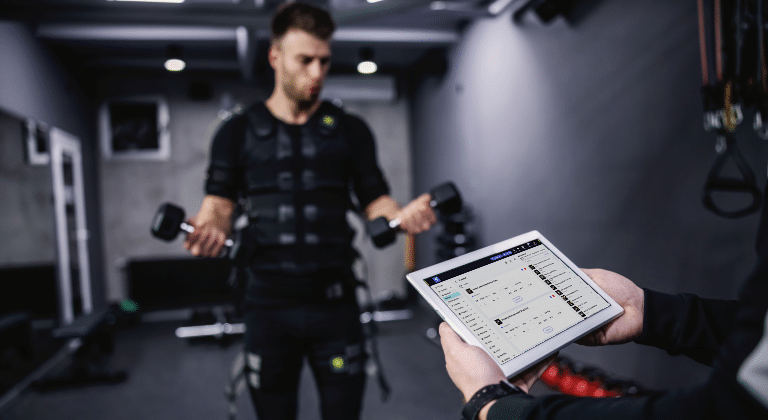
Personal training software isn’t just a fancy organization tool. It’s the infrastructure of your business.
When you’re training one or two clients, cobbling together free tools can work. You can keep track in your head, manually send reminders, and update spreadsheets without losing your mind. But the moment you want to scale beyond that – whether by adding more clients, offering online training or simply having a life outside your business – the cracks will start showing, very quickly!
The hidden cost of NOT using personal training software
Time drain:
The average trainer without integrated personal training software spends 10-15 hours per week on administrative tasks that software handles automatically, like client communication, payment tracking, scheduling and program updates.
Unprofessional perception:
Clients pay premium prices for premium experiences. When they receive workout PDFs via email and pay you through Venmo, you look like an amateur, regardless of how good your coaching actually is.
Scaling ceiling:
You physically cannot manage 30+ clients across multiple platforms without dropping balls. Software removes the manual bottleneck.
Data loss risk:
Everything lives in different places with no backup. One lost phone, one deleted email thread, and you’ve lost months of client data.
Revenue leakage:
Manual payment tracking means missed invoices, forgotten renewals, and awkward “you forgot to pay me” conversations.
The right software doesn’t just organize your business, it transforms it from a hustle into a scalable operation.
Related article: How to Become an Online Personal Trainer.
Core features every personal training software should have
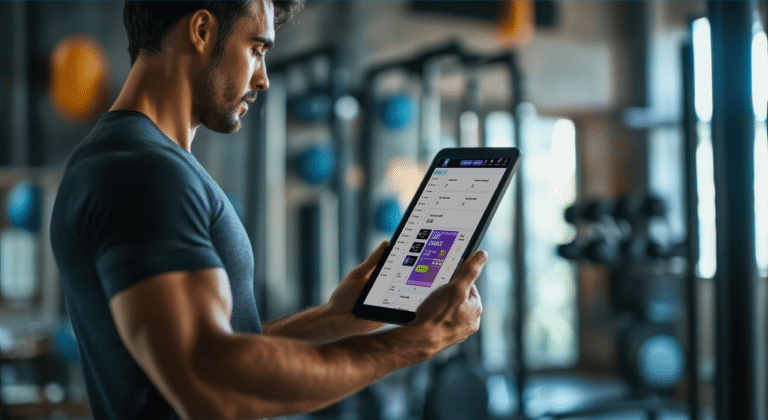
Before diving into specific platforms, understand what qualifies as “essential” versus “nice to have.” Here are the non-negotiables.
Workout creation and delivery
You need to build workouts digitally and deliver them to clients through an app or web portal.
This includes:
- Exercise library (ideally with video demonstrations)
- Ability to create custom exercises
- Program templates you can duplicate and customize
- Assignment scheduling (deliver workouts weeks in advance)
If a platform doesn’t nail workout delivery, nothing else matters.
Example: Workout builder.
Client management dashboard
A central place to see all clients, their programs, progress, payments, and communication history.
You should be able to:
- View client profiles with complete history
- Track active vs. inactive clients
- Store client notes, injuries, and preferences
- Manage multiple clients simultaneously without switching between screens
If a platform doesn’t nail workout delivery, nothing else matters.
Example: Client management tools.
Built-in communication
Clients will message you. A lot.
Built-in chat keeps everything organized and professional:
- In-app messaging (no more lost DMs)
- Push notifications for urgent messages
- Attachment capabilities (clients sending form check videos)
- Message history that doesn’t disappear
Payment processing
Manual payment collection can be an absolute nightmare.
Essential features you should look for in a personal training software include:
- Automated recurring billing
- One-off payment options
- Invoice generation
- Payment history tracking
- Multiple payment methods supported
Example: Client payment & finance features.
Mobile access
Both you and your clients need mobile apps for two-way tracking and accountability.
Before choosing your personal training app, check that:
- The client app is intuitive (not clunky)
- You can manage your business from your phone
- Both iOS and Android are supported
Example: Client app features.
These five categories represent the foundation. Everything else builds on top of them.
Workout and program delivery capabilities

This is where most trainers spend their time, so software quality here matters enormously.
Exercise library depth
How many exercises come pre-loaded? Are they professionally filmed in HD? Can you see multiple angles? Are there modifications shown?
Some platforms include 1,000+ exercises. Others have 7,500+! More isn’t automatically better, but having comprehensive libraries saves you from filming everything yourself.
Custom exercise uploads
Many trainers prefer to upload their own custom exercise videos for the ultimate professional finish, or to add specialized movements and equipment-specific variations.
Make sure you can:
- Upload your own video demonstrations
- Add custom exercise descriptions and coaching cues
- Tag and organize custom exercises for easy retrieval
Example: Custom exercises.
Workout builder flexibility
How easy is it to actually build a workout?
The best platforms offer:
- Intuitive workout builders (not clunky forms)
- Circuit and superset creation
- Rest period customization
- Tempo specifications
- RPE or percentage-based loading
- Ability to add notes and coaching cues to individual exercises
Test the workout builder during any free trial. If it frustrates you, your clients will hate it too.
Program templates and libraries
Creating workout templates saves massive time.
Look for:
- Pre-built program templates you can customize
- Ability to save your own templates
- Workout duplication (build once, reuse forever)
Example: Workout, program & nutrition plan templates.
Nutrition planning integration
Not all platforms handle nutrition.
If meal planning is part of your service, verify:
- Nutrition database size and accuracy
- Meal plan creation tools
- Macro tracking for clients
- Integration with apps like MyFitnessPal
Client communication and engagement tools

Clients who engage consistently get better results. Software should facilitate this.
Check-in systems
Regular check-ins maintain accountability.
Platforms should offer:
- Scheduled check-in forms (automated delivery)
- Customizable questions
- Photo uploads (progress photos, form checks)
- Trend tracking from check-in responses
The best systems let you review multiple client check-ins in a queue, responding efficiently rather than hunting through messages.
Habit tracking
For trainers incorporating habit coaching, habit tracking features are invaluable.
Look for:
- Daily habit logging for clients
- Streak tracking (gamification)
- Compliance reporting
- Custom habit creation
Example: Habit tracking features.
Progress photo organization
Messy progress photo management is a trainer’s nightmare.
Good software provides:
- Standardized photo uploads (front, side, back)
- Side-by-side comparison tools
- Time-lapse features
Example: Progress photo features.
Social features
Some platforms include social feed functionality where clients can post wins, see others’ progress, and build community. This works well for online coaching businesses but may be unnecessary for in-person-only trainers.
Payment processing and financial management

Money management can make or break small businesses. Software should simplify it.
Automated billing
The difference between manual and automated billing is night and day:
- Recurring subscriptions (auto-charge monthly/weekly)
- One-off payments
- Failed payment retry logic
- Automatic invoice generation
- Financial tracking features
Example: Client payment features.
Package and pricing flexibility
Different clients need different packages.
Ensure you can:
- Create multiple pricing tiers
- Offer one-off sessions vs. packages vs. subscriptions
- Set up discounts and promotions
- Pause or modify subscriptions easily
Financial reporting
Tax season is easier when your software tracks everything:
- Revenue reports by period
- Outstanding payments tracking
- Expense logging
- Exportable reports for accountants
Example: Financial reporting features.
Scheduling and calendar functionality

Scheduling chaos can be a fast way to lose clients. Good personal training software calendar tools prevent this.
Appointment booking
For in-person or video sessions, you need:
- Client self-scheduling (reduces back-and-forth)
- Calendar syncing (Google Calendar, Apple Calendar)
- Time zone management (essential for online trainers)
- Group class scheduling
Example: Calendar booking features.
Availability management
Control when clients can book:
- Set available hours by day
- Block off time for admin, personal training, or vacation
- Set buffer times between sessions
- Limit bookings per day or week
- Automatic waitlist when slots fill
Session notes and history
After each session, you should be able to:
Facebook/Instagram ads:
- Log session notes (what you worked on, client feedback)
- Track attendance
- Review session history before the next appointment
This creates continuity and shows clients you’re paying attention.
Progress tracking and analytics

Data-driven coaching beats guesswork coaching. Make sure the software tracks what matters.
Measurement tracking
Clients should be able to log:
- Body weight
- Body measurements (chest, waist, hips, etc.)
- Body fat percentage
- Photos
- Custom metrics (sleep quality, energy levels, stress)
Performance analytics
For strength and conditioning clients:
Can say:
- Exercise PR tracking (personal records)
- Volume load calculations
- Training history by exercise
- Performance graphs over time
Dashboard visualization
Raw data is useless if you can’t interpret it quickly. Look for:
- Visual graphs and charts
- Trend analysis
- Comparison views (Week 1 vs. Week 12)
Mobile app experience for clients

You might use the trainer dashboard, but your clients live in the mobile app, so it’s important that your client app is powerful and easy to use.
User interface and experience
Test the client app yourself:
- Is navigation intuitive?
- Can clients find their workouts easily?
- Is the exercise player smooth?
- Are load times reasonable?
- Does it feel modern or outdated?
Ask current clients for their honest feedback about app usability.
Customization and branding
Some platforms let you brand the client app with your logo and colors. This creates a premium feel and builds your brand, especially valuable for online training businesses.
Integrations with other tools and platforms

No software does everything perfectly. Integrations fill gaps.
Fitness wearables
Many clients use Apple Watch, Fitbit, Garmin or WHOOP. Integration with fitness wearables allows:
- Automatic activity tracking
- Sleep data import
- Heart rate monitoring
- Step count and calorie burn
This data informs programming adjustments and accountability conversations.
Third-party apps
Look for connections with:
- MyFitnessPal (nutrition tracking)
- Zoom (video sessions)
- Google Calendar/Apple Calendar
- Email marketing platforms
- Zapier (connects to hundreds of apps)
The more connected your ecosystem, the less manual data entry you’re doing.
Example: Wearable integrations.
Personal training software pricing models explained

Personal training software pricing varies wildly. Understanding the models helps you evaluate true costs.
Per-client pricing
Pros:
- Affordable when starting small
- Scales as you grow
Cons:
- Costs increase significantly as you add clients
- Can discourage scaling
- Budgeting becomes unpredictable
Per-month subscription
Pros:
- Predictable costs
- Easy to budget
Cons:
- Can be expensive if you’re just starting with few clients
- Features may be limited on lower tiers
Red flags to watch out for when evaluating personal training software

Not all personal training software is created equal. Here are warning signs to avoid.
No free trial or demo
If a company won’t let you test their product before buying, run away. Legitimate platforms like My PT Hub offer free trials or live demos. For example, My PT Hub offers a 30-day free trial, no card details required.
Terrible customer support
Check reviews specifically mentioning support:
In-person only trainers need:
- How quickly do they respond?
- Do they have live chat only, or options to contact via email, video call and phone?
- Are there community forums or knowledge bases?
You will likely need support, so having a reliable team to help you learn how to use the software for your unique business needs can be invaluable.
Locked-in contracts
Be wary of:
In-person only trainers need:
- Long-term contracts (12+ months)
- Difficult cancellation processes
- Penalties for leaving
The best platforms are confident enough to offer month-to-month subscription options as well as annual contracts.
Feature bloat with poor execution
Some platforms try to do everything and do nothing well:
In-person only trainers need:
- Having 10 excellent features beats 50 mediocre ones
- Check if core features (workouts, payments, scheduling) work smoothly
No mobile app or terrible mobile experience
In 2026, mobile-first isn’t optional. If the mobile experience is an afterthought, look elsewhere.
Shady pricing or surprise fees
Watch for:
- Hidden fees not disclosed upfront
- Sudden price increases without notice
- Charges for features that should be standard (like payments)
- Confusing pricing structures
Transparency in pricing reflects company values.
Making the final decision: what matters most

With all this information, how do you actually decide?
Start with your business model
In-person only trainers need:
- Strong scheduling/calendar tools
- Simple workout delivery
- Progress tracking
Online trainers need:
- Robust program delivery
- Advanced communication tools
- Time zone management
- Automation and client management features
Consider your growth stage
Just starting (0-10 clients):
- Affordability matters most
- Keep it simple
- Don’t pay for features you won’t use yet
Growing (10-30 clients):
- Automation becomes critical
- Scalability is key
- Professional appearance matters for client acquisition
Established (30+ clients):
- Advanced features justify higher costs
- Team features if you have staff
- Reliability and support are non-negotiable
Test with real clients
During free trials:
- Add 2-3 real clients (with permission)
- Build actual programs you’d use
- Have clients test the mobile app
- Process a test payment
- Schedule real sessions
Real-world testing will give you confidence and experience of how to use software with your unique business setup.
Calculate ROI, not just cost
If software costs $50/month but saves you 10 hours weekly:
- Your time at $50/hour = $500/month saved
- Net benefit: $450/month
- Annual benefit: $5,200 saved per year.
Trust your gut
After researching features, pricing and reviews, consider:
- Does this company seem stable and trustworthy?
- Do I enjoy using this platform?
- Can I see myself using this daily for years?
In summary
Choosing personal training software isn’t about finding the “best” platform, it’s about finding the best platform for your specific business, stage, and goals.
The right software should:
- Save you 10+ hours per week minimum
- Make your business look professional
- Improve client results through better tracking and accountability
- Scale with you as you grow
- Cost less than the value it provides
The wrong software will frustrate you daily, limit your growth, and cost you clients.
Remember: you’re not choosing software for today. You’re choosing the platform that will support your business for the next 2-5 years as you scale, so make that choice count.
Ready to find your all-in-one solution?
My PT Hub brings together everything covered in this guide into one comprehensive platform designed specifically for personal trainers and fitness coaches.
- Create unlimited workouts with our workout builder and access 7,500+ HD pre-made exercise videos.
- Deliver programs through a custom-branded mobile app your clients will love.
- Manage all client communication, progress tracking and check-ins from one dashboard.
- Process payments automatically with built-in billing and financial reporting.
- Schedule sessions with smart calendar tools that sync with your external calendars.
- Track client progress with advanced analytics and visualization tools.
- Integrate with fitness wearables, nutrition apps and your favorite business tools.
- Use automation and AI to streamline your client management admin and save hours each week.
No per-client fees. No hidden charges. Just straightforward, powerful software that grows with your business.
Trusted by 130,000+ fitness coaches worldwide, My PT Hub combines ease of use with enterprise-level features, without enterprise-level complexity or costs.
Start your 30-day free trial of My PT Hub today and experience what all-in-one personal training software should be. No credit card required.